# Dragonstone Wiki
This wiki contains everything you need to know about the realm of Dragonstone.
# The End Of Dragonstone
This Chapter covers all details of The **End** Of Dragonstone, in **Minecraft**.
# Causes, and Context
# Server Rules
### ***Server Rules***
1. No Griefing. (If you break some blocks to get into a base, please fix it after!)
- Griefing is allowed within 3000 blocks of spawn. (Within RTP zone)
2. Raiding is allowed. (You can take items out of containers)
3. No Hacks, Exploits, DDoS Threats, X-Ray Resource Packs, or other modifications that give you an advantage over other players or threaten the integrity of the server or our players
4. Do not attempt to evade bans or mutes.
5. Don't spam the chat.
6. No excessive cursing/swearing.
7. No racism/personal attacks.
8. No advertising other servers, products, or services.
- Do not post sensitive/NSFW content anywhere on our Discord server. You must abide by Discord TOS at all times.
9. Do not annoy staff. (Don't ping, dm, ask for items, teleports, ranks, etc.)
10. Do not ask for or give out any personal information about yourself or others.
11. Don't disrupt the server peace. This includes being overly rude or disruptive in chat
12. Don't be toxic.
13. Do not be overly disruptive or cause drama on the server. Examples:
- Harassing players (especially those who are weaker than you)
- Arguing with staff about your punishment (appeal politely)
- Refusing to comply with staff
- Disrupting other players too often who are just trying to play peacefully/passively
- Abusing server mechanics or commands to get players killed (such as tpa intercepting or causing accidental accepts)
- Repeatedly scamming players
- Attempting to manipulate passive players into a false sense of trust
---
### ***Raiding Rules***
1. Stealing items from containers such as chests and furnaces is **allowed**.
2. Breaking placed blocks such as beacons and diamond blocks to steal them is **not allowed**.
- The only exception to this rule is shulker boxes.
3. PVP is allowed in all locations with the following exceptions:
- Spawn-killing or camping players who are attempting to flee from battle
- Killing new players (except in self-defense)
4. Teleporting to players or having players teleport to you under false pretenses to kill them is considered toxic behavior and is not allowed
- An example of this is asking for help or offering a player items and then killing them.
- Teleporting without any context is not punishable.
5. Emptying/burning items within chests while raiding is considered toxic behavior
- Take what you want, but if you plan on discarding the raided items, then don't bother taking the items.
6. If you break blocks to enter a player's base (minor grief),
- Make a reasonable effort to repair the broken blocks before leaving to avoid being reported for grief.
If you are only on the server to kill and loot players for your own personal enjoyment, you may be considered incompatible with our community and asked to find another server to play on.
---
## ***Notes***
- While PVP is allowed on Dragonstone, we discourage excessive killing and hunting players who are weaker than you for personal enjoyment. There is no honor in that.
- Please review our page on Raiding & Honorable Combat here:
[https://wiki.dragonstone.pw/books/dragonstone-wiki/page/raiding-honorable-combat](https://wiki.dragonstone.pw/books/dragonstone-wiki/page/raiding-honorable-combat "https://wiki.dragonstone.pw/books/dragonstone-wiki/page/raiding-honorable-combat")
- Structures built directly outside of spawn (within 250 blocks) are less likely to be rolled back by staff if griefed due to the extreme amounts of player traffic. (Note that this does not mean you are less likely to receive a punishment)
- Structures built directly outside of spawn (within 250 blocks) may be removed on staff discretion if they are griefed too often or disrupt the look of the areas surrounding spawn.
- Structures deemed "NSFW" may be removed on staff discretion if they are prominently displayed in highly visible locations and are not eligible for a rollback.
- Staff reserve the right to intervene for any reason if someone is found to be disruptive to our server's gameplay and safe environment.
- If your only purpose on Dragonstone is to kill and loot players for your own personal gain, you may be considered incompatible with our community and asked to find another server to play on.
# Full Commands List
While Dragonstone is a survival based server, we do have a list of commands available to all users. These commands are used to improve the quality of life on the server.
List of Server Commands:
**/command <variable>**
Command Description
**/spawn**
Teleports you to the server spawn point after a 3 second warmup.
Spawn Coordinates: 0,0,0
Works in any dimension.
**/sethome**
Sets your Home Point which you can teleport to with /home
**/home**
Teleports you to your set home point after a 3 second warmup.
**/tpa <playerName>**
Sends a teleport request to a player, which prompts them in chat to accept or decline.
The player has 60 seconds to accept the request before it is automatically declined.
Can be accepted by clicking the checkmark button in chat, or by using "/tpaccept"
If the player accepts, there is a 3 second warmup before you are teleported to the player.
**/tpahere**
Sends a request for a player to teleport to you.
If accepted, there is a 3 second warmup before the player is teleported.
**/rules**
Gives you a Dragonstone Guide. (60 second cooldown)
**/warp <warpName>**
Opens the Warp Menu which allows you to teleport to various locations.
You may optionally specify a warp name to skip the menu and warp directly.
Requires a 3 second warmup before teleporting.
**/afk**
Marks your player as AFK (Away From Keyboard).
Grants you damage immunity from hostile monsters.
Automatically activates if stationary for 5 minutes.
Deactivates if your player makes any actions.
Attempting to abuse AFK immunity while in combat is a punishable offense!
**/msg <playerName> <message>**
Sends a private message to the specified player.
**/r <message>**
Replies to the last player who messaged you.
**/ignore <playerName>**
Adds or removes a player from your Ignore List.
Players on your ignore list are filtered from your chat and cannot message you.
**/seen <playerName>**
Allows you to see when a player was last online.
**/afkcheck <playerName>**
Allows you to check if a player is AFK.
**/vote**
Opens the Vote Menu, which allows you to vote for Dragonstone as a top server.
Please see \[here\] for more information and rewards for voting!
**/voteall**
Prints all voting links directly into chat, bypassing the menu.
**/vparty**
Shows the number of votes before the next free World Potion.
**/command**
Command Description
**/team** Lists the team-related commands, including:
- **/team create -** Creates a new team.
- **/team join** - Allows you to join a pre-existing team.
- **/team invite** - Invites players to your team.
- **/team chat** - Toggles between team-only and global chat.
- **/team allychat** - Toggles between team ally and global chat.
- **/team title** - Changes player titles within your team.
- **/team name** - Changes team name.
- **/team description** - Changes team description.
- **/team home** - Takes you to your team's set home. (Alias: **/th**)
- **/team sethome** - Sets a new home for your team.
- **/team delhome** - Deletes your team's current home.
- **/team echest** - Allows you access to your team's community ender chest. (Alias: **/tec**)
- **/team ban** - Bans a player from joining your team.
- **/team unban** - Unbans a player from joining your team.
- **/team promote** - Promotes specified player within your team.
- **/team demote** - Demotes specified player within your team.
- **/team ally** - Send a request for an alliance to the specified team.
- **/team tags** - Changes your team's tag.
- **/team color** - Changes your team's color codes.
- **/team info** - Gives info on the specified team or player, such as who is in it or what team they are a part of.
- **/team neutral** - Removes team allies and rejects ally requests.
- **/team pvp** - Toggle if pvp/friendly fire is enabled between team members.
- **/team open** - Toggles between invite-only and allowing anyone to join.
- **/team warp** - Allows you to warp to a point set by your team. (This feature is disabled)
- **/team disband** - Disbands your current team.
**/sethome** :: saves position as your ONLY custom teleportation spot
**/home** :: used in tandem with /sethome
**/warp** :: for a full list of warps, see "Locations" page in "Dragonstone Wiki"
**/suicide** :: instantly kills your Minecraft character. Most commonly used in /spawn where keepinventory is on
**/rtp** :: stands for "Random teleportation." Teleports you to the portal to be teleported to a random location within a 3,000 block radius of /spawn
**/affinity** :: lets you view your personal levels for all FOUR types of affinity
**/mastery** :: lets you view your mastery in the four elements and the buffs they are granting you
**/affinitytop** :: shows the 10 players who have the most combined affinity points
**/worldpotion on** :: allows world potions to affect you **/worldpotion off** :: disables world potions from affecting you
# Frequently Asked Questions
#### Welcome to the FAQ where we will try to answer the most common questions about Dragonstone! We will try to update this page as often as possible!
##### What were those icons at the top of my screen when I first joined the server?
That is your Newbie Buff. It is a buff for new players to make travelling and surviving during the first couple days and nights a bit easier. You start with +100% mob damage resistance and +30% speed. This buff slowly fades away and weakens with time, disappearing completely after approximately one hour.
##### Are there claims? Is griefing allowed?
No land claiming or chest protection here! Stealing from containers is allowed, but griefing is not, so please report any major grief via discord ticket! Grab the discord link with **/discord**
##### What happens when I die?
When you die, a Tombstone will spawn in the form of a campfire. The tombstone contains all of your items, ensuring they won't despawn for one hour. It even preserves the exact slots the items were in your inventory!
Right Click a tombstone to instantly loot it. Sneak Right Click a tombstone to view its contents before looting.
Other players may loot your tombstone after 10 seconds have passed.
##### How do I check the coordinates of my tombstone when I die?
Use the **/tombstone** command to pull up the coordinates of your active tombstones at any time!
##### What happens if I don't get to my tombstone in time?
The tombstone will despawn and drop your items on the ground. Most of the time, your items will be dropped into an unloaded chunk. This will preserve your items indefinitely until the chunk is loaded again, which will start the usual 5 minute despawn timer for dropped items. Note that shulker boxes can last up to 1 week on the ground before despawning!
##### What is Affinity?
Affinity is your attunement and connection to the four natural elements of Air, Fire, Water, and Earth.
Dragons were one of the first beings who learned to channel and control the elements to Create and Destroy.
As you interact with the world of Dragonstone, you will gain knowledge of the four elements by exploring the world, fighting monsters at close or long range, and mining shiny things. This will improve your Affinity towards particular elements, which grants you some small but noticeable bonuses such as increased damage output, damage resistance, and amplification of your magical capabilities which you will learn about later on as you play.
You can learn more by using **/affinity** and **/mastery** in game to view your affinity progress and your elemental buffs.
[Read more about the elemental affinity system here!](https://wiki.dragonstone.pw/books/dragonstone-wiki/page/affinity-system)
**(Affinity was temporarily removed for a rework in 1.21!) ~Dragon 06/10/2024**
##### What are Teams?
Teams are groups of players under the same group name. Being in a team (even by yourself!) grants you some small bonuses.
- View commands list in-game with **/team**
- Create your own team with **/team create <Name>**
- Teams grant you the ability to set a team home. Use **/team sethome** and **/team home**
- Teams also grant you the ability to use a portable team ender chest. Use **/team echest** or **/tec**
[Click here to see all team related commands!](https://wiki.dragonstone.pw/link/107#bkmrk-%2Fteamlists-the-team-)
##### Can I mine mob spawners on this server?
Yes, but they very rarely drop. The exact drop chance is not known, however most players report around 1 in 50 spawners dropping, so the estimated drop rate is around 1-2%.
Silk Touch is not required for a mob spawner to drop.
**(THIS FEATURE MAY CURRENTLY BE BROKEN, WILL BE FIXED SOON!) ~Dragon 10/15/2023**
##### Do I need silk touch to get my ender chest back if I place it?
Nope! You can mine your ender chest with any tool to get it back. You can even use your fists!
##### What are World Potions?
World potions are server-wide buffs that are typically activated each time Dragonstone receives 10 votes on voting websites, or if they are purchased with real money on the Dragonstone Store. (View with **/donate**)
##### How do I stop World Potions from affecting me?
World Potion effects can be disabled using **/worldpotion off** and re-enabled using **/worldpotion on**
(Note that this prevents ALL World Potions from affecting you.)
##### How do I talk in #in-game on Discord?
Instructions for this are located at the bottom of #rules on discord to encourage everyone to read the rules first.
You must link your account by using the **/link** command while on the server. You will then be given a code which you send as a private message to the "Draco" bot. This will link your accounts and grant you permission to speak in #in-game as well as post images and embed links in most channels.
##### How do I show an item in chat?
Type \[item\] in chat while holding the item you wish to show. You can also use \[inv\] to show your inventory, and \[ender\] to show your ender chest in chat.
Note that players can click on books to read them, and click on shulker boxes to view their contents!
##### How do I report a player that is misbehaving in chat?
Please open a discord ticket by going into the #tickets channel and clicking on "Create Ticket". This will open a private channel with staff where you can let us know. Please provide screenshots and as much detail as possible!
##### Where was I sent when the server rebooted?
You were sent to a place called "The Void". It is a holding server which keeps you connected to Dragonstone while the main server reboots. This is so you don't lose connection and can AFK for as long as you like. Feel free to explore the mysterious realm of the void!
##### How often does the server reboot?
The server currently reboots 4 times a day. The schedule is as follows:
- 12pm EST
- 6pm EST
- 12am EST
- 6am EST
(Last Updated: 6/14/2024)
##### Am I allowed to use alt accounts?
We typically allow the use of up to one alt account, sometimes two with staff approval depending on your use case and past behavior. Up to two alts are fine if you are just using them to keep your farms loaded, as long as they do not cause server lag. If you plan on using your alts as tpa anchors or for extra storage, we will only allow you to use one alt.
You may not use alts to trick players into thinking you are a different person, as this builds a false sense of trust which can be abused to get into teams and bases of other players. This can be considered toxic behavior and is not allowed. You may only use alts for quality of life, not to trick other players.
You may also use up to two alts to boost the difficulty of your dungeon runs.
##### What is the mob spawning logic on Dragonstone?
- The mob cap is currently around 23 hostile mobs per player.
- The mob cap does not stack when around multiple players.
- The mob spawn range is currently set to 4 chunks.
- The soft despawn range is currently 32 blocks.
- The hard despawn range is currently 64 blocks.
**(THIS INFORMATION IS OUTDATED, WILL BE UPDATED SOON!) ~Dragon 06/07/2024**
##### Why do mobs sometimes drop mob heads?
Mobs can sometimes drop mob heads to prove that you killed a lot of that type of mob. They are mostly used for decorative purposes, however heads from difficult to find mobs such as elder guardians can be quite rare and may be worth something to other players.
##### Does the Looting enchantment boost the drop chance for mob heads?
Yes! The looting enchantment can allow mobs to drop their heads more frequently. Most mobs have a drop chance of 1%, however certain rarer mobs such as elder guardians can have higher drop chances.
The bonus provided by the looting enchantment is as follows:
- Looting I improves the drop chance by x1.1 (1.0% --> 1.1%)
- Looting II improves the drop chance by x1.25 (1.0% --> 1.25%)
- Looting III improves the drop chance by x1.50 (1.0% --> 1.5%)
- Looting IV improves the drop chance by x1.75 (1.0% --> 1.75%)
- Looting V improves the drop chance by x2.0 (1.0% --> 2.0%)
##### What is the Dragon Spirit and why is it purging mobs?
The Dragon Spirit scans the world every 3 minutes, checking for overcrowded animal farms and mob grinders. If there are too many mobs clustered together, some may be purged to reduce server lag from having too many entities. We have had issues in the past where massive farms would cause server lag, which is why this was implemented.
The limit for animal farms is 40 of each animal.
The limit for mob grinders is 20 mobs in a single block before excess are purged, but this typically will not reduce output because this only really affects people who are AFK next to grinders and are not actively harvesting the mobs.
##### What happens if I fall into The Void in the end dimension?
You are rescued by the Dragon Spirit and sent to spawn with your items intact. However, you are also inflicted with 30 minutes of "Void Curse" which weakens you for a time. This curse shows up as a debuff at the top of your screen which also shows the remaining time. The time will stack if you fall into the void multiple times before it expires.
[More information on this debuff can be found here.](https://wiki.dragonstone.pw/books/dragonstone-wiki/page/void-curse)
##### What powers do Moderators have on Dragonstone?
The only responsibility of our moderators are to moderate the server chat and ensure it stays within our server rules. Moderators cannot teleport to you, give you items, or affect gameplay in any way. They can however punish players for misbehavior in chat by issuing Warnings, Mutes, Kicks, Temporary Bans, and Permanent Bans.
##### What happened to Peaceful Status?
It was removed in 1.19 as it was causing gameplay to become too stale and player interactions to become too predictable.
##### Why do some zombies and skeletons look weird?
You are most likely using Optifine Shaders, which is conflicting with the Core Shaders that Dragonstone uses to render custom armor. This causes zombies and skeletons wearing armor to render incorrectly. Please consider disabling your shaders if you wish to fix this issue.
##### \[No Longer Applicable\] How do I toggle the custom bars on my screen?
Use the command **/mmobars toggle** to enable/disable these bars! We recommend keeping them enabled once you create your first magic item at the Dragon Forge.
##### What is the Dragon Forge?
The Dragon Forge is a place where you can create magical items which are more powerful than vanilla items. Typically you must play Dungeons to obtain the custom materials required to forge these items.
##### What are Dungeons?
Dungeons are temporary instanced worlds where you go through and explore a location while killing many monsters, typically with a boss fight near the end. Dungeons are your main source of custom resources which are used to create items at the Dragon Forge.
##### Where are the world borders?
The world border for the Overworld extends to 50k in all directions, while the Nether and End borders both extend to 25k in every direction.
# Raiding & Honorable Combat
#### What is raiding?
Raiding is the act of entering another player’s home and stealing items from their containers.
#### Honorable Raiding
- Take only what you need.
- Leave item frames and armor stands be.
- Replant crops after harvesting.
- Replace all blocks you broke while entering a base.
- Leave enough animals for breeding when culling farms.
- Do not kill pets.
- Do not kill villagers.
#### Dishonorable Raiding
- Taking everything a player has, including things you do not need, such as building materials.
- Breaking chests and burning items, leaving the player helpless.
- Taking too many items from armor stands and item frames.
- Posting the coordinates of a player's home in public chat.
- Raiding players who have done nothing but be kind to you and helped you when you were new.
- Causing difficult to repair damage to bases.
- Breaking valuable blocks placed in the world.
- Raiding the same place too often.
- Killing pets/villagers.
#### What is combat?
Combat is the act of engaging in a fight with another player, also known as PvP or Player vs Player combat.
#### Honorable Combat
- Defending your home base from intruders.
- Only fight players who are of a similar power level to you.
- Only engage in combat with players who wish to battle with you.
- Players who are just trying to play on the server peacefully should be left alone.
- Do not kill new players or abuse their trust. They do not yet know who is friend and who is foe.
#### Dishonorable Combat
- Targeting and killing new players.
- Intentionally seeking to kill players who are weaker than you.
- Continuously harassing and killing the same player or group.
- Teleporting to newer players to kill them or kill others nearby.
- Abusing the trust of new players to gain entry into teams for malicious purposes.
- Killing players who have done nothing but be kind to you and helped you when you were new.
**Participating in dishonorable raiding too often will result in receiving absolutely no support from staff.**
**If something goes wrong, we will not help you. You are on your own.**
**Participating in dishonorable combat too often will additionally result in the suppression of your TPA abilities.**
**Note:** We may choose to take additional moderation action against you if we deem your behavior to be toxic or disruptive to our community. The above penalties may change at any time with or without notice as circumstances change on Dragonstone.
# Server Event: UHC
### What is UHC?
UHC (Ultra-Hardcore) is a Dragonstone Event that takes place on a special event server.
Players compete for resources and equipment in a 1000x1000 world before PvP is enabled and the world border begins to shrink.
You are rewarded (typically with forge materials and shards) for participating in the event, killing players and surviving the longest!
#### How does UHC work?
When the event is about to begin, everyone online is sent to the event server where you will wait in a glass box floating in the sky. Here you can select a kit, as well as your team color. If the UHC is in team mode, you can also form teams with other players!
Once most people are ready, an admin will begin the event and a 15 second countdown will start.
When the countdown finishes, all players are randomly teleported around the map where you may begin to obtain resources.
For the first 15 minutes, PvP is disabled. This is your opportunity to gather resources in one of several ways:
- Flowers will drop random items and experience points when broken.
- They can drop almost any item in the game, even bedrock!
- You start with 64 lucky blocks in your inventory which you can break to trigger random events.
- These events can positive or negative. Lucky blocks can also drop special wands!
- You can also mine blocks and ores for resources.
- Axes will chop entire trees from one block.
- Ores will be auto-smelted and doubled.
- All ores spawn on all Y levels.
Once the 15 minute timer has ended, PvP is enabled and the world border will begin to shrink, slowly bringing players closer together at the center of the map. (Typically x0 z0).
You may encounter other players who will typically try to kill you for your loot.
Note that depending on the settings and modifiers of the current game, you typically begin with a lot of health. (60-100 HP)
Natural health regeneration is disabled once the 15 minute grace timer ends!
The only ways to regenerate health in UHC is through the following methods:
- Golden Apples
- Regeneration Wands
- Potions
- Golden Heads
- Lifesteal Enchantment
- Event Modifiers
To be continued...
#### Wand Types:
- Regeneration Wand
- Fire Wand
- Invisibility Wand
- TNT Wand
- Slime Wand
- Lightning Wand
- Shield Wand
- Potion Wand
- Nature Path Wand
#### Special Items:
- Dark Hole
- Mini Volcano
- Enderman Soup
- Hot Potato
- Ice Bow
- Auto Bow
- Multi Bow
- Explosive Bow
- Homing Bow
- Hook Bow
# Server Mechanics
# Affinity
**(Affinity was temporarily removed for a rework in 1.21!)**
Affinity is a group of four elements that you can level up and master in order to give certain buff and advantages.
A more detailed description can be found **[here.](https://wiki.dragonstone.pw/books/dragonstone-wiki/page/affinity-system "Affinity System")**
Your current affinity levels can be looked at with**/affinity**, **/skill**, or **/mastery**.
Affinity comes in these four elements:
Air - Improve your skill in this element by traveling (Either by swimming, walking, or running but not flying). Exp from traveling is collected and added to your levels every ? seconds.
Increasing your mastery of this element will grant you these things (scaled by the level you are at):
- Reduces anvil costs
- Increases experience orb value
Fire - Improve your skill in this element by fighting creatures and enemies with a close range weapon (i.e. sword, axe, etc..)
Increasing your mastery of this element will grant you these things (scaled by the level you are at):
- Increases attack damage
Water - Improve your skill in this element by fighting creatures and enemies with a close range weapon (i.e. bow, crossbow, etc..)
Increasing your mastery of this element will grant you these things (scaled by the level you are at):
- Increases health regeneration
Earth - Improve your skill in this element by mining naturally occurring blocks. Certain blocks (such as obsidian) will give more exp per block than others. Blocks placed by a player will not count towards this skill.
Increasing your mastery of this element will grant you these things (scaled by the level you are at):
- Increases damage resistance
# Aspect
Aspect is a more powerful form of mana that is difficult to come by.
Very few items use this resource.
There are currently no known items in the forge that use Aspect.
# (Removed) Auction House
The Auction House is a simple way to buy and sell things through simple commands. Players can sell up to 5 items or crates of items for either iron, diamonds, or netherite.
Auction House command list:
- **/ah** :: opens Auction House GUI (hover over the item that interests you to see the price. If you would like to purchase it, have at least the correct amount of currency in your inventory, click the item, then click "Buy" (green stained glass panes).
- **/ah sell 1 64** :: sells 64 of the item that you have selected in your hot bar for 1 Iron Ingot
- **/ah sell 4d 32** :: sells 32 of the item that you have selected in your hot bar for 4 Diamonds
- **/ah sell 2n 1** :: sells 1 of the items that you have selected in your hot bar for 1 Netherite Ingot
- **/ah sellinventory \[price\]** :: sell up to 28 item slots of SELECTED materials at once (no brackets). These are called "item crates."
- **/ah claim** :: gives you any profit you have made from the Auction House
In the /ah GUI, clicking the ender chest will show you your PURCHASED items to claim, clicking the gold will show you your items up for bid, and clicking the chest will show you your expired items to claim.
# Chat Mechanics
##### Overview
In order to keep our community safe and friendly, as well as organized, our chat has certain restrictions
#### Chat Prefixes
Ⓟ = [Peaceful](https://wiki.dragonstone.pw/books/dragonstone-wiki/page/peaceful-players "Peaceful Players")
★ = Nitro Booster
Ⓟ = Peaceful Nitro Booster
\[Mod\] = Moderator
\[Admin\] = Administrator
\[Founder\] = Founder
[ = Harbinger](https://wiki.dragonstone.pw/uploads/images/gallery/2022-03/image-1648165254680-40-06.png)
[ = Marked](https://wiki.dragonstone.pw/uploads/images/gallery/2022-03/image-1648165317697-40-06.png)
# Combat Timer
When you are attacking or being attacked by a player, You will get combat tagged, when tagged you will:
- Be unable to teleport
- Cannot enter safe-zones.
- Cannot use any abilities that allow flight
- Logging out will result in blindness and weakness upon return
# Custom Features
Here on Dragonstone we have many custom features such as
- Dungeons
- Peaceful Players
- Warps
- Tombstones
- Accelerated Sleep
- Void Curse
- World Potions
- Random Teleportation Portal
- Combat Timer
- Inventory Sorting
- Voting
- Mana
- Dave
- Affinity
- Dragon Wards
# Farm Limiter (Purge)
The Dragon Spirit scans the world every 3 minutes. If your farm has too many entities, it will purge some. This is to reduce server lag.
# How to Bribe a Dragon with shiny piles
# How to Protect the Dragon Egg
UNFINISHED - WORK IN PROGRESS
## What is the Dragon Egg?
The Dragon Egg is a very powerful and unique item, as one one can ever exist at a time in each cycle.
Protecting the egg is a massive undertaking, as it is basically a server-wide game of capture the flag.
### Power of the Egg
The egg must be protected at all costs, as many players seek to lay claim to it's power.
When placed in a suitable shrine, if the Dragon Aspects are appeased, the Dragon Egg will grant you and your allies powerful buffs in a large area surrounding the shrine. It is like a more powerful version of a beacon.
Be warned however, the great power contained withing the egg may periodically emit a global pulse which can be sensed by others in the form of an auditory signal. These sound signals are directional, and those who pay close attention may be able to triangulate the location of the egg. There are ways to muffle or disrupt these signals to make them more difficult to track, however the structure requires a constant supply of mana and resources to keep the suppression field active.
### Special Abilities
Rumors foretell that the egg itself possesses unique abilities.
- The egg may grant you protection and the ability to levitate into the air when held.
- The egg may teleport randomly within a short distance if placed and interacted with.
- When placed upon a suitable shrine and activated by the dragon aspects, the egg may grant unique buffs to your team.
- When activated, the egg will summon a force field around itself with a large amount of Shield HP.
- The amount of Shield HP scales with various factors, such as the quality of the shrine, upgrades, and other bonuses.
- Breaking the force field will allow the egg to be taken, and the process begins anew.
- The shield can be repaired using mana.
- If the shrine is powerful enough, the egg may be able to defend itself with various magical abilities.
- The abilities can changed based on the materials the shrine is constructed from.
- The most common defense is a short-ranged point defense system that fires hit-scan beams.
- Typically only targets mobs, however it is possible for some abilities to target players.
- Mobs can attack the dragon egg, however it is unlikely for mobs alone to break the shield.
### Building a Shrine
Constructing a suitable shrine to care for the egg and appease the Dragon Aspects is no easy task. You must choose your materials and design carefully, as you will be judged by those who fly above.
Caretakers from past cycles have documented their findings, however are always new things to discover.
- First and foremost, be creative. The Dragon Aspects judge each shrine and decide it's power level based on creativity.
- The egg seems to prefer aesthetically pleasing designs and a raised center point for the egg to rest upon.
- Shrines can be of any size, however larger shrines are much more likely to grant you more powerful effects.
- The egg must be exposed to the sky, otherwise it will feel trapped and refuse to activate.
- The egg likes nature/wilderness blocks as well as shiny things.
- The egg likes symmetry and creative designs.
- Adding shiny piles can help to improve the overall power, effectiveness, and tier of your shrine.
- A shiny pile is a pile of shiny things consisting of materials dragons consider to be "shiny", such as crystals and ores.
### Shrine Tiers
When the egg is activated, the Dragon Aspects will judge your shrine and decide upon it's "power level" or "shrine tier".
Here are the benefits of building a higher tier shrine:
- Increased egg shield health.
- Increased defensive capabilities.
- Increased potency and range of positive effects.
- Increased suppression field efficiency and reduced mana consumption.
Here are some ways to help improve your shrine tier:
- The size of your build is a major deciding factor. Larger builds with a clear theme tend to be better.
- The quality of the blocks used in the construction of the shrine.
- The overall aesthetics and theme of the shrine.
- Shiny piles can help improve your shrine tier.
- Think of it like a build competition with judges, higher quality builds are better.
- Try to stick to a magical/fantasy/ancient/elemental theme, however other shrine themes may also yield good results.
Click to view Shrine Examples!
**Basic / Bare Minimum Shrine - Tier I**
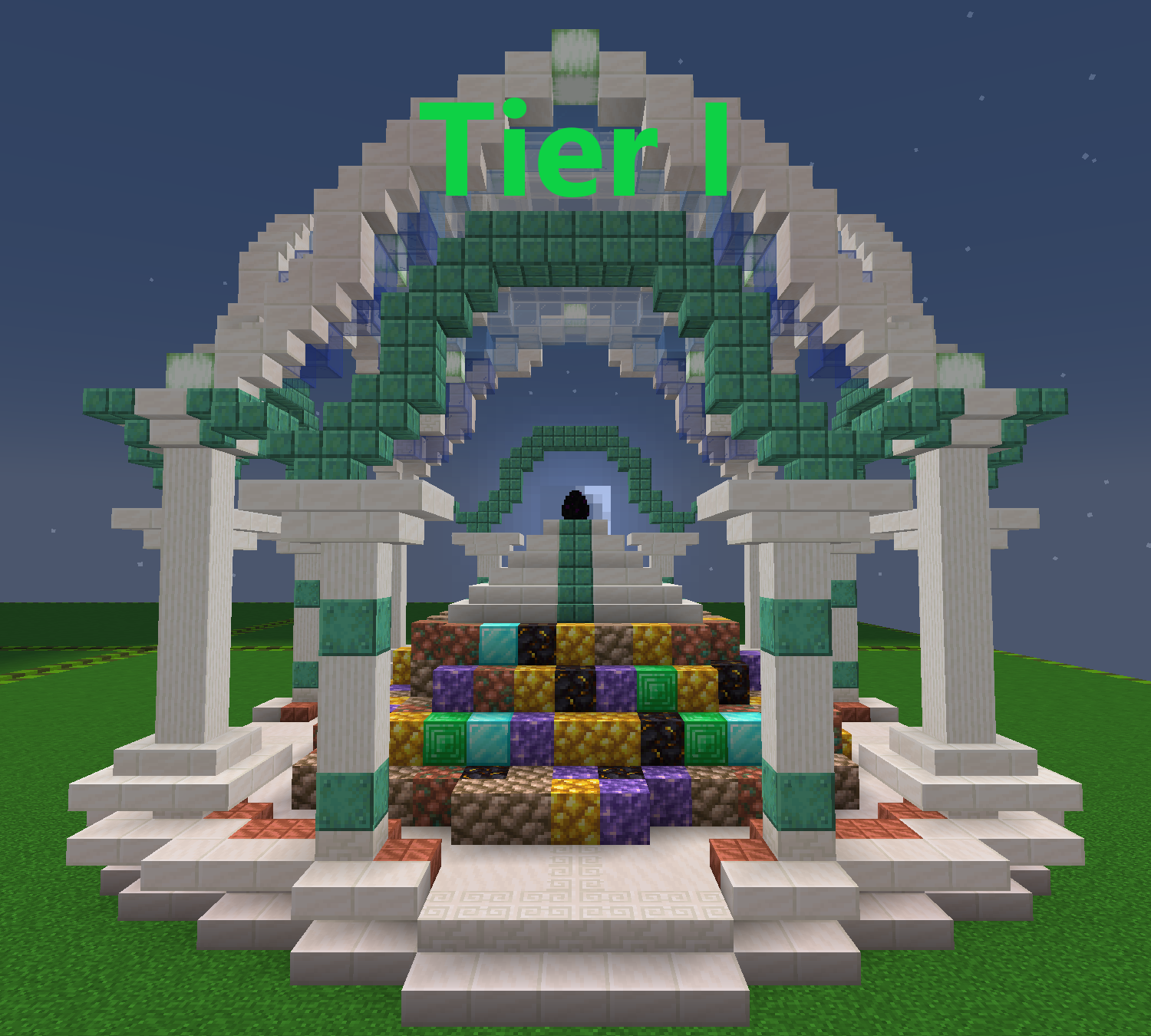
Note that it may take some time (up to several days) for the egg to "activate" after being placed upon the shrine.
### Materials and their Effects
The following is a list of documented materials used in shrine construction and what effects they were observed to provide.
Note that you can use multiple materials in the construction of a shrine to receive multiple buffs, however focusing on just one or two materials may make the individual buffs more powerful.
Different forms of the same material may yield better or worse results, depending on it's difficulty to obtain.
For example, let's consider gold ore blocks:
- Raw Gold Blocks seem to hold more value than Gold Ore.
- Gold Ore seems to hold more value than refined Gold Blocks.
- Blocks made from ingots (like Gold Blocks) seem to hold the least value due to the ability to farm gold nuggets and gold ingots.
Dragon Aspects seem to prefer raw ores because it shows that actual work was put into obtaining them.
**Note that the effects you receive are entirely decided by the Dragon Aspects themselves.
It is not guaranteed that you will receive what is on this table, as many other factors can influence the shrine.**
**Material**
**Observed Effects**
Amethyst
Buffs to Mana Regen
Coal
Unknown
Copper
Buffs to Mana Capacity
Diamond
Buffs to Damage Resistance
Dragon Shard Blocks
Unknown
Emerald
Buffs to Shrine Shield Health
Glowstone
Buffs to Night Vision
Gold
Buffs to Haste (Mining Speed & Attack Speed)
Iron
Buffs to Armor Toughness
Lapis Lazuli
Unknown
Netherite
Buffs to Strength
Quartz
Buffs to Movement Speed
Redstone
Unknown
Wood / Nature Blocks
Buffs to Health
### Feeding The Egg
\[WORK IN PROGRESS - MANA VALUE TABLE FOR EACH SHINY)
**Shiny**
**Mana Value**
Coal
0.01
Charcoal
0.015
Coal Block
0.0222
Raw Copper
2
Raw Copper Block
18
Copper
1.5
Copper Block
13.5
Raw Iron
3
Raw Iron Block
27
Iron
1
Iron Block
9
Raw Gold
8
Raw Gold Block
72
Gold
2.5
Gold Block
22.5
Redstone
0.02
Redstone Block
0.18
**Shiny**
**Mana Value**
Lapis
1.75
Lapis Block
15.75
Quartz
5
Glowstone Dust
3
Glowstone
12
Emerald
10
Emerald Block
90
Diamond
15
Diamond Block
135
Amethyst Shard
7
Amethyst Cluster
177
Amethyst Block
17
Ancient Debris
33
Netherite Scrap
66
Netherite Ingot
666
Netherite Block
6666
Nether Star
1337
### Suppression Field
You will need to construct a Suppression Field if you wish to protect the Dragon Egg for the long term. This grants you an array of tools to suppress, distract, or confuse other beings who are attempting to seek out the location of the Dragon Egg.
Some possible things a Suppression Field can do are as follows:
- Reduce the volume of the signal.
- Increase the cooldown between signals.
- Randomize the origin point of the signal to increase difficulty of triangulation.
- Limit the maximum range of the signal to 10000 blocks instead of global (very expensive)
- In an emergency, temporarily suppress the signal entirely at the cost of a massive amount of mana and resources.
- Ability to send false/decoy signals from another location.
### Egg Hatching
Once the egg has been sitting on a shrine and protected for a certain amount of time without interruption or relocation, the egg may hatch and grant you or your team a Permanent Boon.
Possible Permanent Boons to choose from are as following: **(NOT FINAL)**
**Boon**
**Duration**
**Effect**
Boon of Essence
Current Cycle
- Grants you and your team +3 Draconic Essence.
Boon of Power
Current Cycle
- Your shrine buffs become permanent with no range limit.
Boon of Reality
Current Cycle
\- Grants you one use of the Wish spell.
\- Allows direct intervention from the Dragon Aspects at their discretion.
\- One of the Rules of Reality may be altered for the rest of the cycle.
Boon of Forging
Permanent
\- Grants you and your team one Tier III or lower item from the Dragon Forge.
\- Item will also be unlocked in the Spirit Forge.
Boon of Ascension
Permanent
- Allows you to perform a Paragon Ascension on yourself or another player.
Ritual of Summoning
Unknown
\- Allows you to begin performing the Ritual of Summoning.
\- When complete, summons a powerful Ancient Ender Dragon boss battle.
\- It is not yet known what will happen when this boss is defeated.
Ritual of Ending
Permanent
- Allows you to begin performing the Ritual of Ending.- See more information below.
### Ritual of Ending
The Ritual of Ending is often considered the most forbidden decision that anyone can make with the Dragon Egg.
If this ritual is successfully performed over the course of 30 days, the current cycle will become The Final Cycle, thus bringing an end to Dragonstone as we know it.
Here is what will happen if the Ritual of Ending is begun:
- The Dragon Egg enters a panic state, and becomes hostile to everyone.
- The egg's Shield HP is tripled, however it can no longer regenerate or be repaired in any way.
- The suppression field around the egg fails, and the egg continuously broadcasts a loud signal.
- All mobs on the server will attempt to make their way to the egg and attack it.
- Strange things will begin happening to the world as the ritual progresses.
UNFINISHED - WORK IN PROGRESS
# Inventory Sorting
By Middle clicking double clicking an empty slot, you can automatically sort a storage unit. This works in:
- Inventory
- Chests
- Double Chests
- Ender Chest
- Barrels
- Shulker boxes
As of 1.18, middle clicking was broken by mojang. Now you must double click an empty slot to sort, or enable an alternative sorting method by using **/sort**
# Mob Head Drops
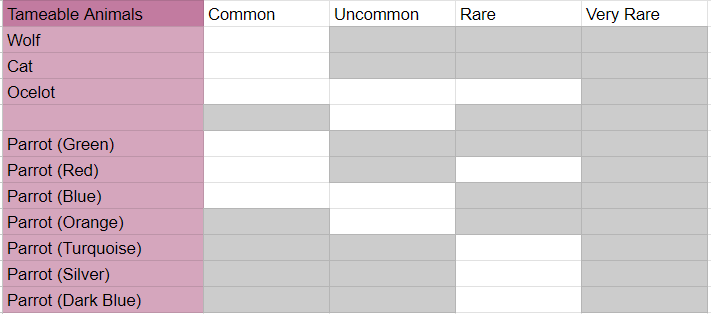
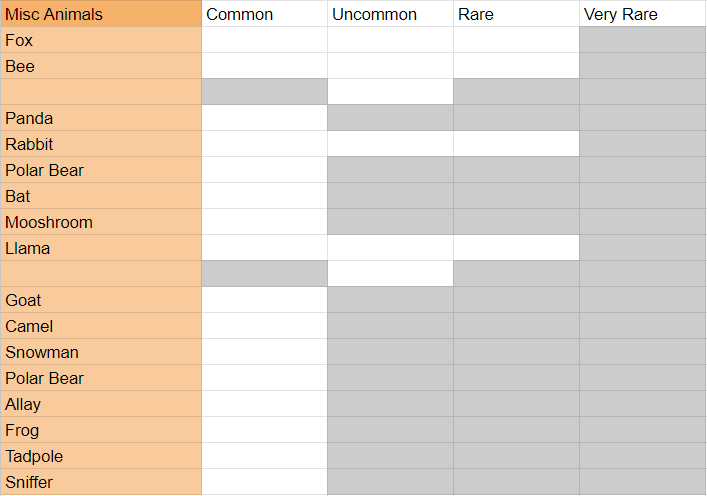
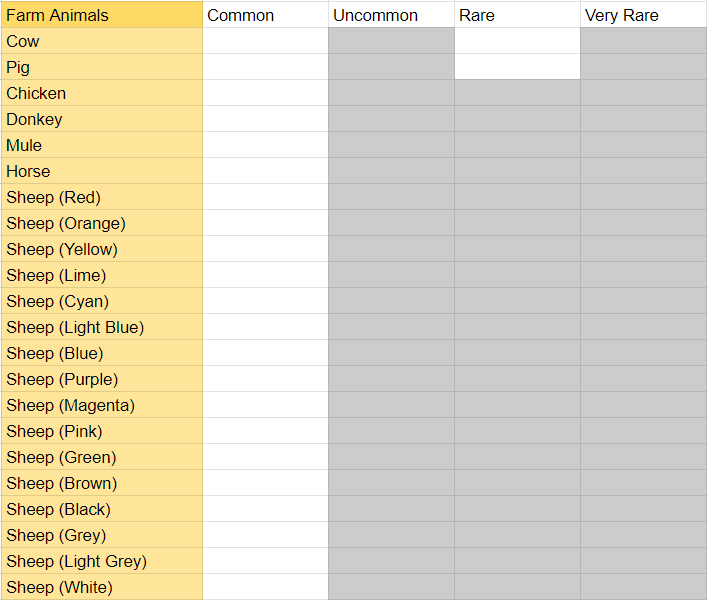
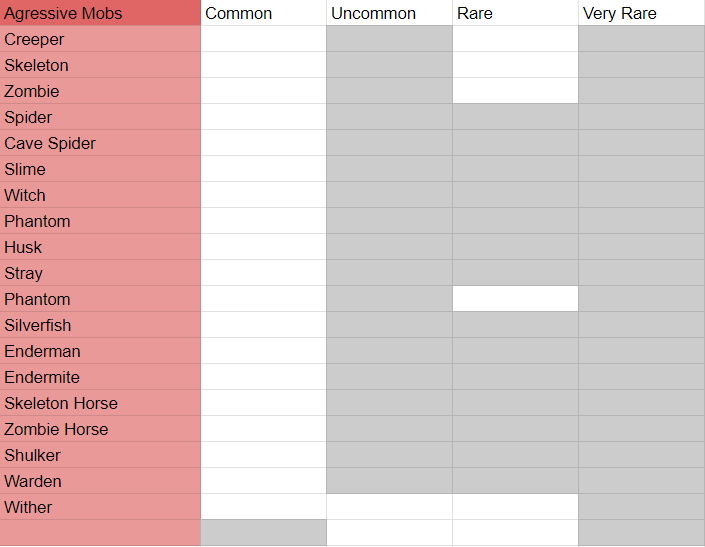
Killing mobs may cause them to drop their head.
Every mob has one or more collectible heads. A head will only drop when a player kills a mob, not when they die to environmental damage.
This is a complete list of all heads available in the 1.20 cycle, including the rarity level. It can also be viewed as a spreadsheet to copy if you wish to collect them yourself! Click [here](https://docs.google.com/spreadsheets/d/1MCy9tHdSttlBWOlhVvuyVRw8kOCWpTorwRUA6S7xQ-c/edit?usp=sharing) for access.
[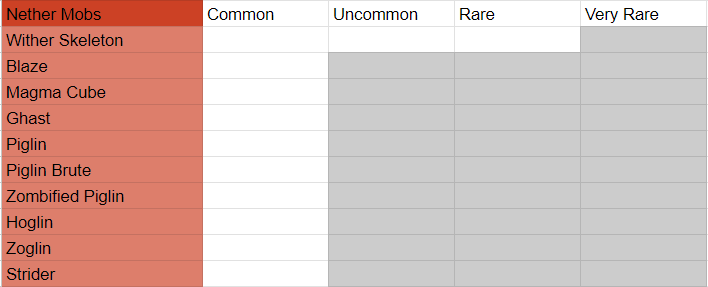](https://wiki.dragonstone.pw/uploads/images/gallery/2024-01/nether-mobs.png)
[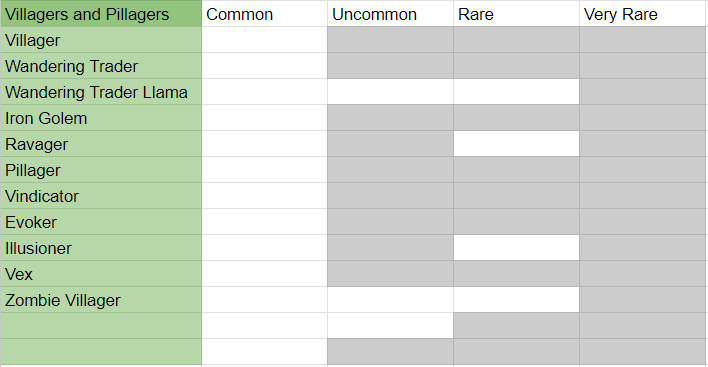](https://wiki.dragonstone.pw/uploads/images/gallery/2024-01/villagers-and-pillagers.png)
[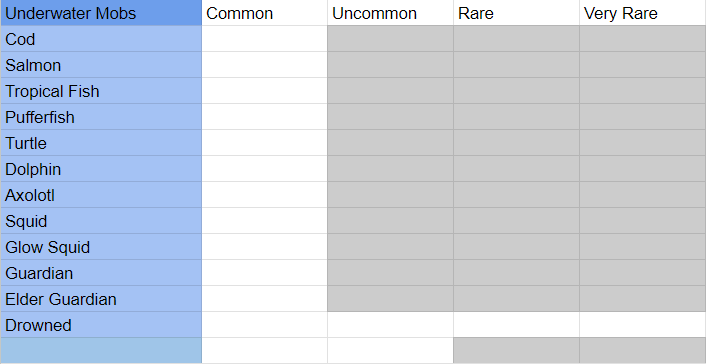](https://wiki.dragonstone.pw/uploads/images/gallery/2024-01/underwater-mobs.png)
[](https://wiki.dragonstone.pw/uploads/images/gallery/2024-01/tameable-animals.png)
[](https://wiki.dragonstone.pw/uploads/images/gallery/2024-01/misc-animals.png)
[](https://wiki.dragonstone.pw/uploads/images/gallery/2024-01/farm-animals.png)
[](https://wiki.dragonstone.pw/uploads/images/gallery/2024-01/aggressive-mobs.png)
In cases where there is a spare line in the name column, it indicates there are multiples of head rarities for that mob, as shown here using llamas as an example.
[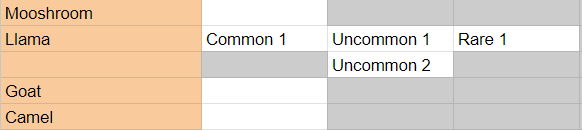](https://wiki.dragonstone.pw/uploads/images/gallery/2024-01/example.png)
Fun Fact: The only mob with a Very Rare head is the Drowned.
# Mob Health Display
[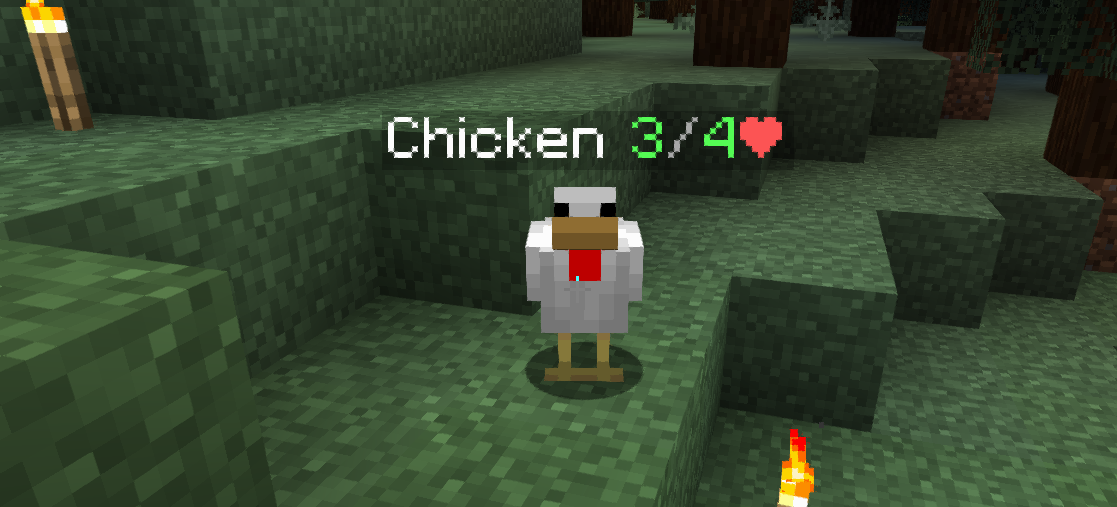](https://wiki.dragonstone.pw/uploads/images/gallery/2022-03/2022-03-17-17-50-17.png)
When mobs take damage from a player, their health will display above their heads along with their name.
This display lasts several seconds before fading.
# Mana
Mana is a magical resource used by many Dragonforged items to cast spells or use special abilities.
All players intrinsically can store and generate a small amount of mana naturally.
**Base Mana**
+20 Max Mana
+0.2 Mana Regen
Mana is often used to cast magical abilities and spells, typically by using an item that was created at the Dragon Forge or found within a Dungeon.
There are many ways to improve your mana capabilities, including by wearing magical armor or equipping special artifacts in your Artifact Inventory. (Use /mmoinv to open your artifact inventory)
These are the currently known ways to modify your mana capabilities:
Pocket Mana Generator
+0.05/s Mana Regen
Mana Generator
+0.1/s Mana Regen
Mana Crystal
+2 Max Mana
Aetherite Ore
-1 Max Mana
Aether Armor
+++ Max Mana
++ Mana Regen
Raven Wings
\+ Max Mana
\+ Mana Regen
Dovahkiin Helmet
\+ Max Mana
\+ Mana Regen
Nariel's Blessing
\+ Max Mana
\+ Mana Regen
# Newbie Buff
#### When you first join the server, you will be equipped with the following items and buffs:
The following table shows information about the buffs received when first joining.
Buffs
Buff name
Level
Duration
Regeneraton
1
26 Minutes
Resitance
2
26 Minutes
The following table shows information about the items you will get when first joining.
Items
Item Name
Amount
Stone Sword
1
Stone Axe
1
Stone pickaxe
1
Stone Shovel
1
Golden Apple
10
Red Bed
1
Ender Chest
1
Dragonstone Guide
1
You can receive these buffs and items again every week by typing /kit newbie.
# Patched Exploits
List of Patched Exploits that are present in Vanilla:
- TNT Duping
- Carpet Duping
- Zero Tick Farms
# Random Teleport Portal (RTP)
[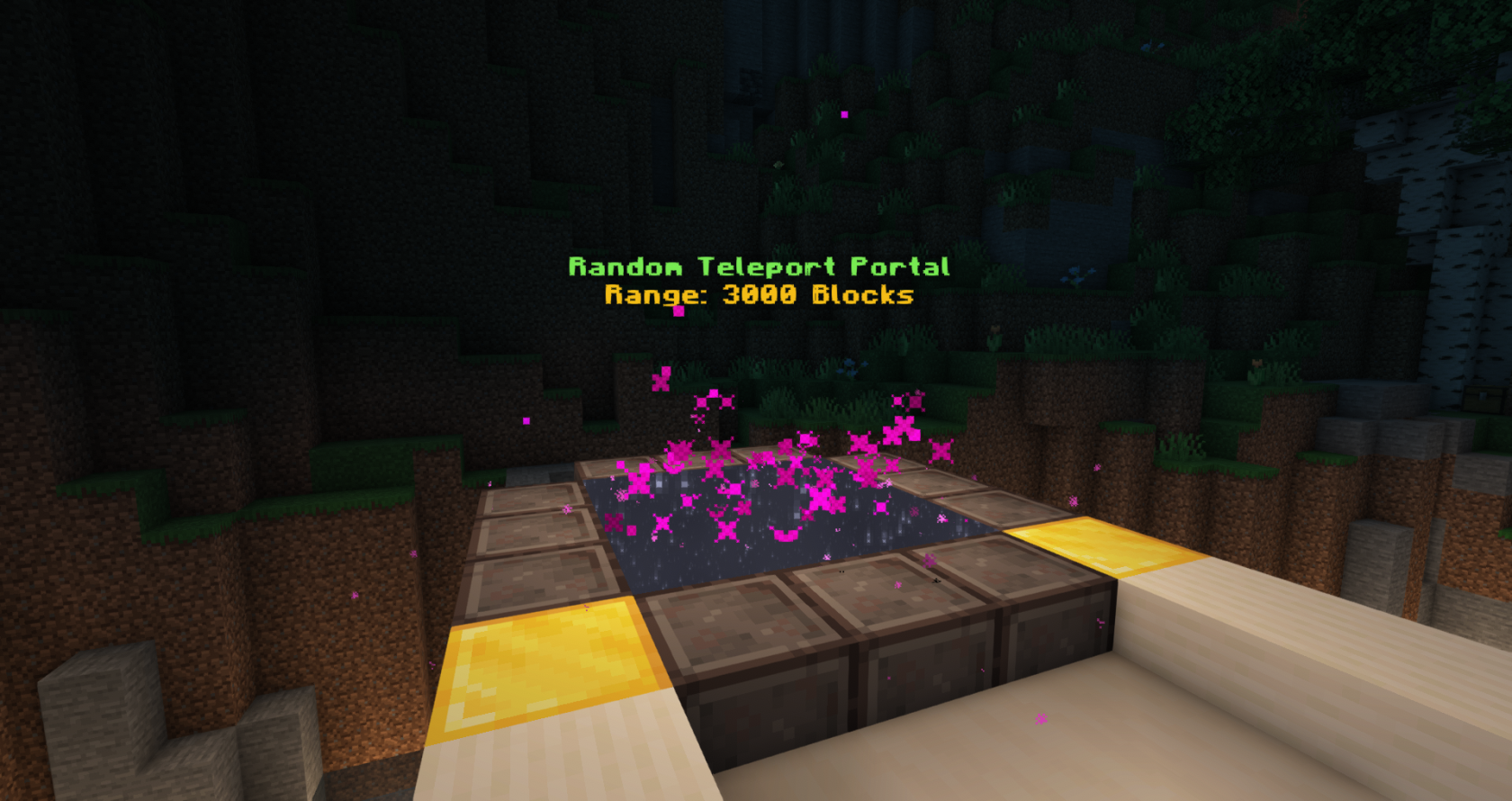](https://wiki.dragonstone.pw/uploads/images/gallery/2022-03/image-1647557316324.png)
The Random Teleport Portal(RTP) is usually one of the many things a player will see when they first join, or even when they use **/spawn**! It can also be warped to with **/warp rtp**.
This portal is very useful for many players who are looking for adventure! Or even just looking for resources and supplies.
[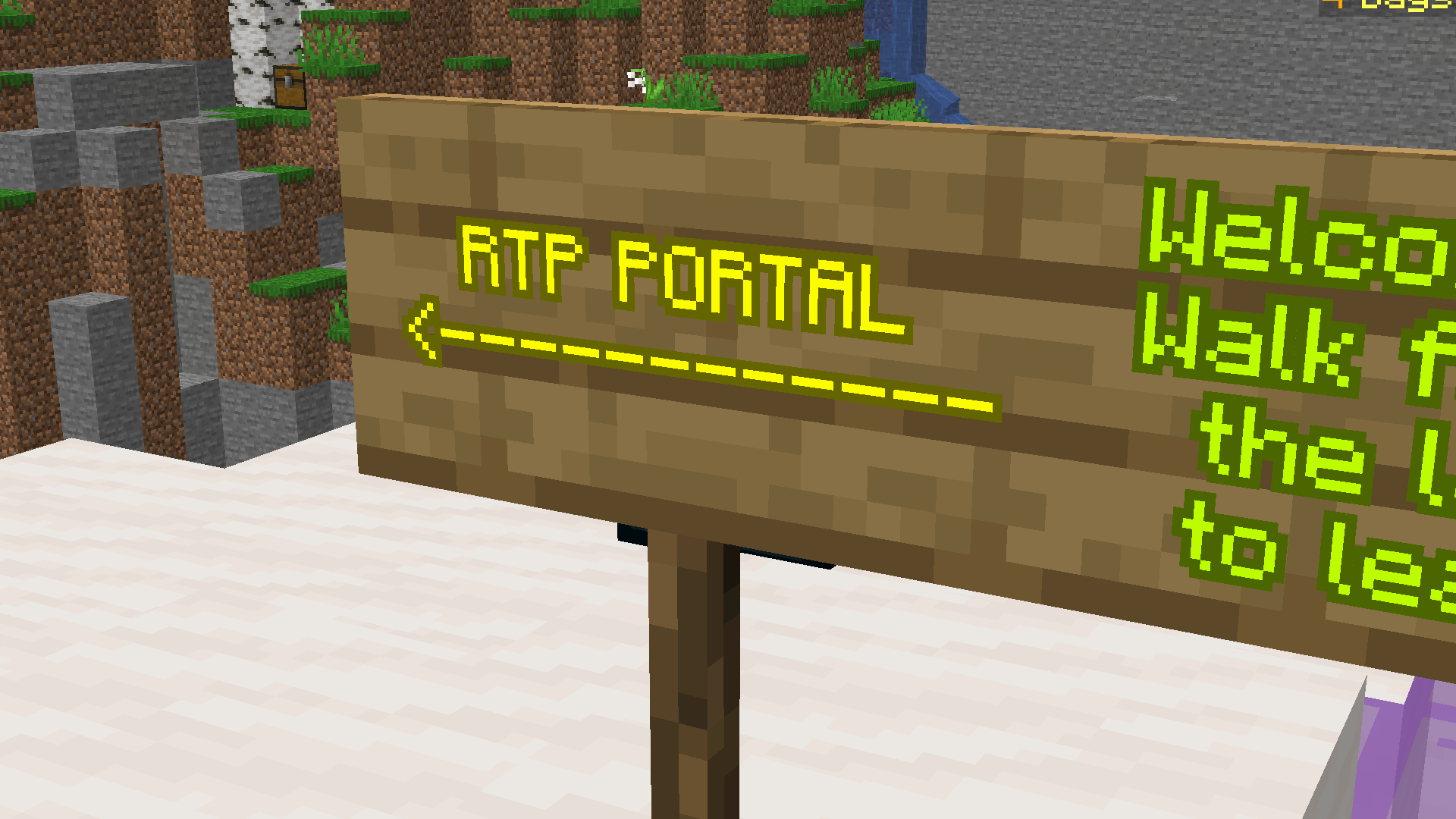](https://wiki.dragonstone.pw/uploads/images/gallery/2022-03/2022-03-10-21-51-09.png)
Also, it's best to remember a few things,
- Don't build within 3000 blocks of spawn to avoid having your base discovered by players.
- As soon as you teleport you receive Immunity and Slow Falling for a short period of time.
- A cooldown is effective after usage of the portal more than once, so don't try to be in a rush!(30 sec cooldown)
### History(added info)
The RTP (Random Teleport Portal) has been around since 1.13! That's the version Dragonstone started in! Along with it's design, the shape has kept a similar form throughout each version.
# Shop Tutorial
**[](https://wiki.dragonstone.pw/uploads/images/gallery/2022-02/image-1643767960423.png)**
**How to open a shop:**
- Purchase a permit from the *"New Permits"* villager at shop spawn.
- Regular shop permits are 16 diamonds.
- Island shop permits must be applied for via a ticket on the Dragonstone discord (if Islands are available) and require a minimum of 3 shop owners to apply.
- Once a permit is purchased, find an empty shop and right click with the permit in the shop. This gives you permission to build in the shop. If you would like other players to build in your shop with you, they must also right click with the permit book in order to gain permission.
- Immediately put your permit into a protected chest. You can protect a chest by looking at a recently placed chest and doing /shopkeeper. If you are peaceful, you can also simply use a sign on the chest. Barrels also work. (Note that shopkeepers cannot be placed on barrels)
**How to start selling in a shop:**
- Place a chest (double or single). While looking at it, do /shopkeeper to spawn a villager shop keep on it.
- Place the items you wish to sell into the chest.
- Shift + right click on the villager to pull up a menu like this:
[](https://wiki.dragonstone.pw/uploads/images/gallery/2022-02/image-1643768171992.png)
- Items placed in the chest will appear at the top.
- You can right/left click, and shift + right/left click to change amount sold
- Below the item, place the currency you would like to sell the item for.
- You can use the same right and left clicking on currency as you would items to change the amount
- You can have more than one currency below the item sold (i.e. 5 diamonds and a shulker for a shulker full of stone).
- Any items can be used as currency.
- There are additional options for the villager on the bottom row.
- Nametag - Change the name by typing it in chat
- Chest - View shop inventory
- Bell - Toggle notifications for that shop
- Egg - Toggle between baby and adult
- Smoker (usually a green leather chest plate) - Change occupation
- Leather chest plate - Villager variant
- Diamond - Badge color
- Bone - Delete Shopkeeper
# Sleeping (Night Speedup)
Sleeping in the overworld works differently on Dragonstone. While the night can still be skipped if the majority are sleeping, it's more common for the night to be **sped up.** If just one player is sleeping, the time will begin to fast forward slightly, and depending on a few factors, including overworld player count, and the amount of players sleeping, this can increase or decrease. For example, if the server has 20 players online in the overworld, and one player is sleeping, the fast forward effect will be much less than if 2 players were sleeping with only 5 players total in the overworld. You may still reset phantom insomnia by sleeping in a bed for a few seconds.
# Teleportation & Warping
All forms of teleportation and warping via command have a 3 second warmup time.
During the warmup time, you must stay completely still in order for the Draconic Orbital Warp Grid to lock onto your position and perform the warp. Moving will interrupt this process, thus requiring you to repeat the command.
Teleporting is a way of being able to travel to players or have players travel to you. It is recommended to not teleport to players you do not know, especially if they are not labeled as peaceful.
Teleport commands:
- /tpa *PlayersName -* Sends a request to teleport to that player
- /tpahere *PlayersName* - Sends a request for player to teleport to you.
List of warps:
- /warp arena
- /warp court
- /warp dungeons
- /warp forge
- /warp jail
- /warp rtp
- /warp shop
# Tombstones
[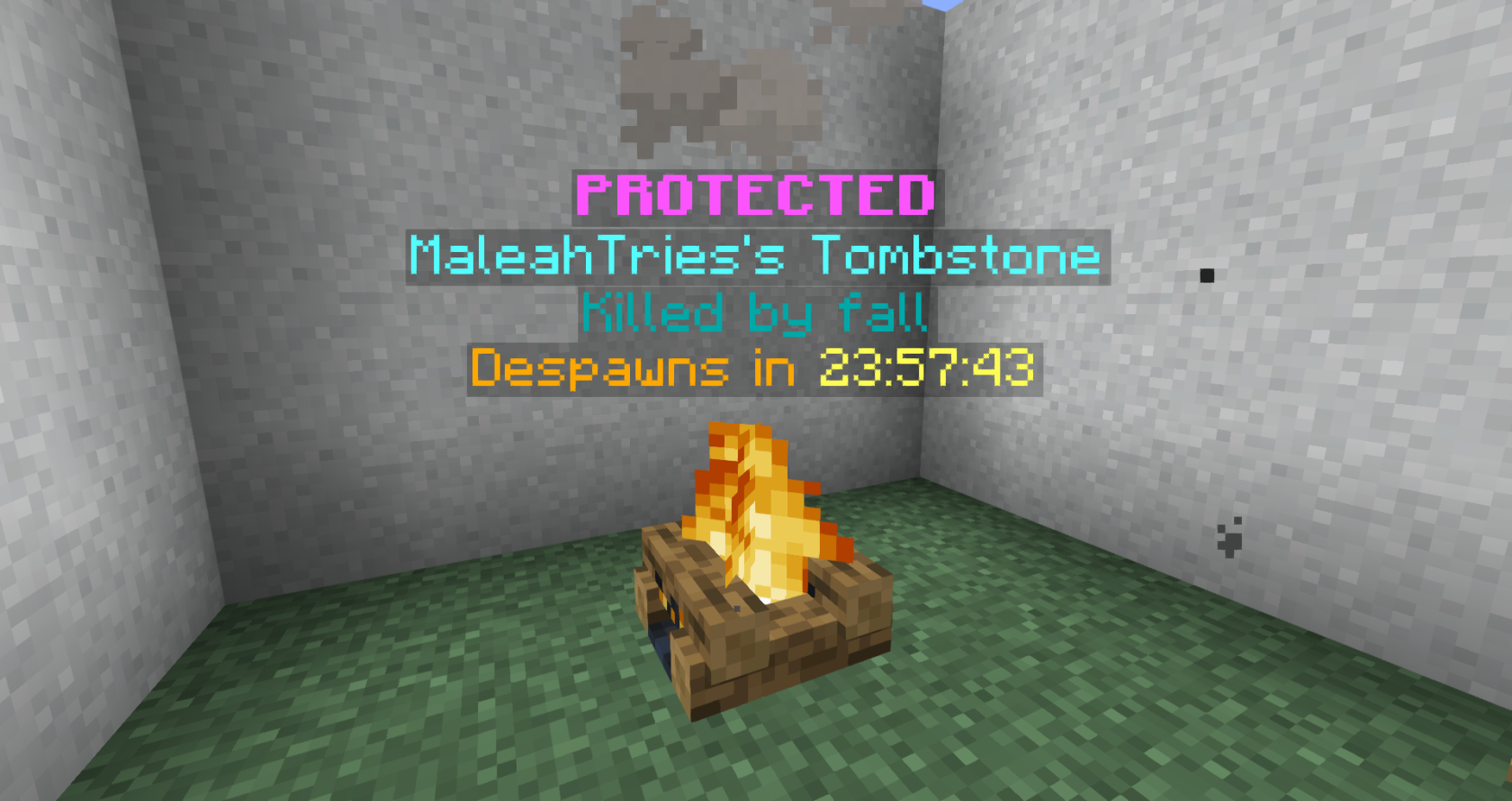](https://wiki.dragonstone.pw/uploads/images/gallery/2022-03/2022-03-17-17-26-35.png)
Tombstones spawn whenever a player dies. Their items are kept locked inside, until either they or another player collect them, or until the timer runs out. The tombstones of regular players are protected for 10 seconds and remain for 1 hour before despawning and dropping the items contained within. Tombstones disappear as soon as it's emptied, or again, expire. In the 1.17 series of the server, tombstones are represented by Soul Campfires. However, previous versions, such as 1.14, for example, simply used a renamed chest, that had similar mechanics.
The tombstone will try and place the items back in the slots they were in when the death occurred if possible, however will result to filling like any other item if the corresponding slot or slots are unavailable.
Players will be given a message in chat telling them the exact co-ordinates of the tombstone.
You can right click a tombstone to auto-loot it and the items will be returned to your inventory in exactly the inventory slots they were in when you died. You can also shift-right-click a tombstone to view its contents and take individual items or experience points. If you do not have enough inventory space for all the items in your tombstone, some items will remain in the tombstone until there are inventory slots available for them.
Tombstones retain 50% of your experience points.
You may use **/tombstone** to view your active tombstones.
Unlocking a tombstone allows it to be opened by other players.
Legacy Information - Removed in 1.19
\- The tombstones of peaceful players are protected indefinitely and remain for 2 hours.
\- Peaceful player tombstones will retain 75% of the player's experience points.
# Void Curse
[](https://wiki.dragonstone.pw/uploads/images/gallery/2022-03/image-1646907253022.png)
Void Curse is the penalty for dragon saving you from falling into the void at the last possible moment. You are warped to the spawn point with your items intact, but at what cost...?
#### Debuffs
You are afflicted with Void Curse for **30 minutes.** The duration of this debuff can stack if you fall multiple times.
- Your attack damage is reduced by **10%**
- Your movement speed is reduced by **10%**
- Your mana regen is reduced by **0.5/s**
- Your elemental affinities are reduced by **10 points.**
##### When it could Fail
This can fail if you are combat tagged however and as such you will have to rescue your items. (This will be fixed in 1.19)
#### **The Void Consumes... The Dragon Protects. **
# Voting
You can vote to help support Dragonstone by doing **/vote**or** /voteall**
Player are rewarded with
For the first link
- 2 Emeralds
- 5 Steak
For the second link
- 2 More emeralds
- 5 More steak
- 1 Diamond ore
- 5 Shard dust
Your first ever vote also grants you an additional 5 Shard Dust.
# Wards
### Dragon Ward
#### Magic Defense System
It remains from old Dragonstone slowly trickling in somewhere in most versions. Can be crafted in the Dragon Forge.
#### Cost
- 1 dragon shard
- 1 end crystal
- 20 obsidian
- 1 minute of your time
#### How it Defends
- It defends against phantoms shooting them down with beams of magic (costs 75 xp per pulse)
- It weakens creepers explosions (previously also increased gunpowder drops unknown if it still works) (costs 3600xp per hr)
- It disrupts an endermen's ability to steal blocks (costs 3600xp per hr)
- Can mend items by spraying xp out onto the ground slowly (costs 36000xp per hr)
### Dungeon Wards
#### Strength Ward
Buffs dungeon mobs with strength
#### Armor Ward
Buffs dungeon mobs with resistance
#### Speed Ward
Buffs dungeon mobs with speed
# World Potions
World potions are activated by donators, that affect every player on the server, in an effort to eliminate **P2W.** These effects can be the same as potions, or effects from a beacon, conduit, and dolphins. Some effects are beyond what is normally achievable. For example, **Haste III** is a common effect to see granted, which is normally impossible in normal Minecraft.
[Click here to view the Dragonstone Store!](https://store.dragonstone.pw/category/189913)
The full list of effects include:
World Potions
Haste 2
45 minutes
0.50 USD
Haste 3
1 Hour
1.00 USD
Haste 3
6 hours
5.00 USD
Speed 1
20 minutes
0.75 USD
Speed 2
30 minutes
1.25 USD
Regen 1
20 minutes
0.75 USD
Regen 2
30 minutes
1.25 USD
Fire Resist
30 minutes
0.75 USD
Fire Resist
1 hour
1.25 USD
Dolphin's Grace
15 minutes
0.75 USD
Dolphin's Grace
30 minutes
1.25 USD
Conduit Power
30 minutes
0.75 USD
Conduit Power
1 hour
1.25 USD
Resistance 1
30 minutes
1.25 USD
Resistance 2
45 minutes
1.75 USD
Unbreaking X
45 minutes (limit 1/day)
2 USD
# (Removed) Peaceful Players
This section contains content that was removed in The Seventh Cycle (1.19).
In Dragonstone, a **large** majority of players in the community have become "Peaceful".
The role of being "Peaceful" gives the player the ability to,
- Protect items in inventory, and chests.
- The ability to toggle PVP.
- Shows other players that this player can be trusted by other members.
(There are **requirements** listed to become Peaceful in the application along with the attached link at the bottom.)
#### **Description of Peaceful Player Perks**
**To Protect Items:**
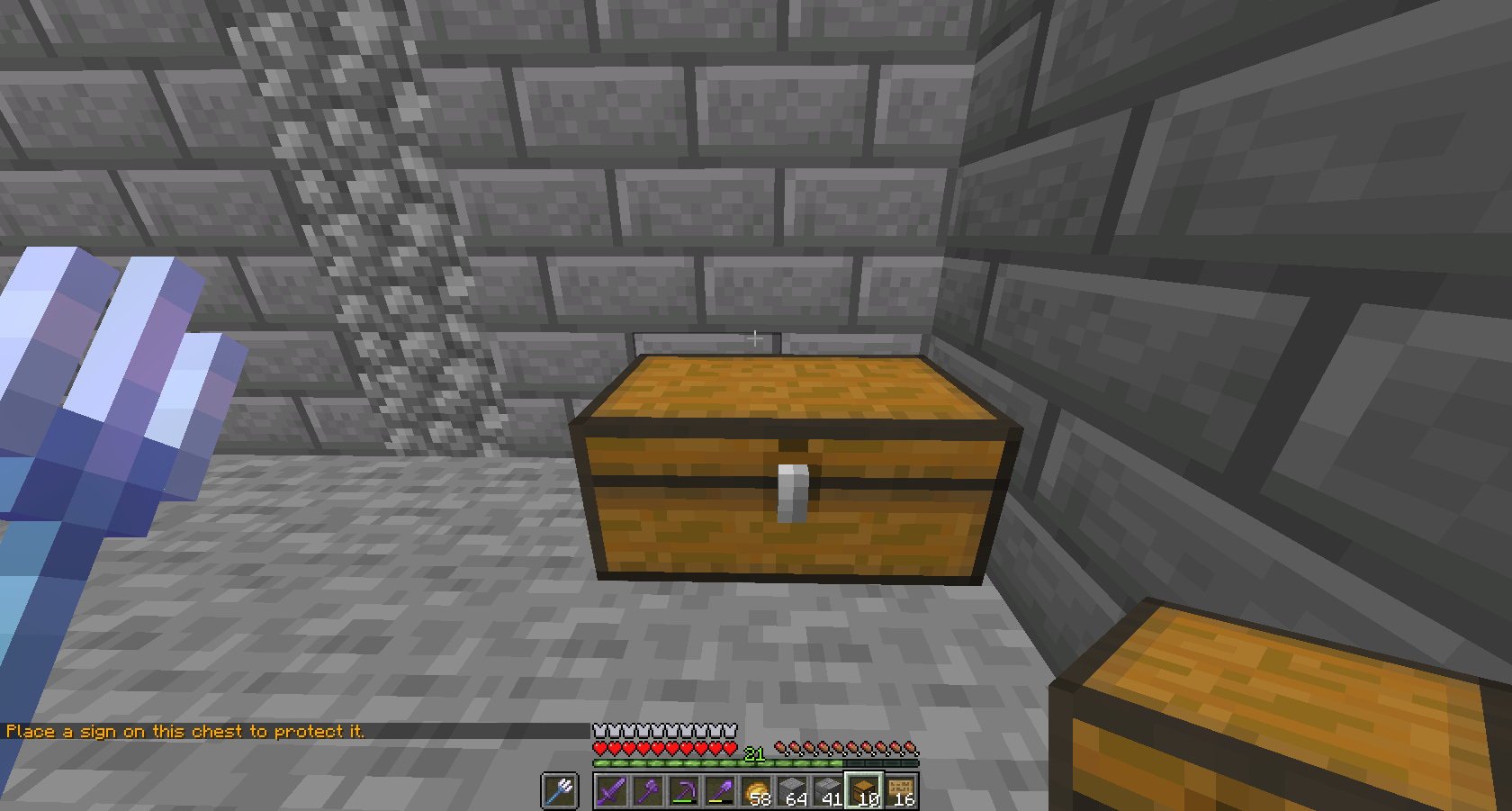
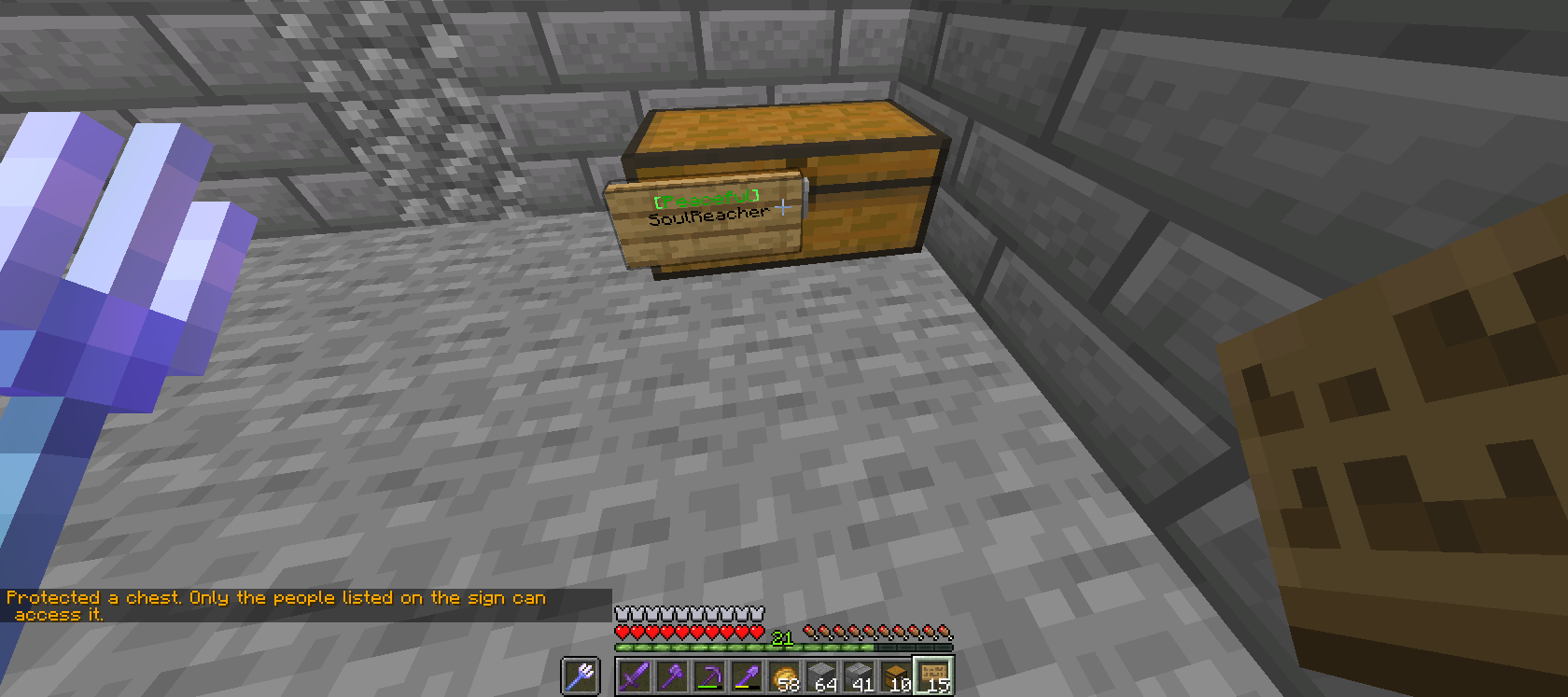
You must place a sign on a chest by right-clicking to add the protection to nearby containers connected to the container you placed the sign on. This protection makes connected containers invincible to **mob damage**, **player interaction**(unless that player's name is **added** on the sign) and finally it makes it **completely inaccessible by players** other than Staff.
(Images below are in order from top to bottom for instructions listed above.)
[](https://wiki.dragonstone.pw/uploads/images/gallery/2022-03/spirtdrag2.png)
**[](https://wiki.dragonstone.pw/uploads/images/gallery/2022-03/drgnsirpt3.png)**
**How to toggle PVP(with rules)**
Use the command "/pvp" while in-game to toggle your PVP. (Note that you cannot kill other players unless consent is given from the player you wish to fight. Exceptions to this are designated arena zones such as /warp arena)
[](https://wiki.dragonstone.pw/uploads/images/gallery/2022-03/drgspirt1.png)
**Why this role shows other players that you can be trusted (with rules)**
Being a Peaceful Player shows that you are willing to give up the ability to
- Raid.
- Kill players without consent.
- Be "annoying".
- Ect.
Though this may not seem like a huge sacrifice for some people, taking on the responsibility of this role can really show others how committed you, a player, are in sake of keeping you, and other safe, along with the people of Dragonstone as a whole. (which can build trust among groups and bases, so make sure to not give info out! It is **very looked down upon.**)
The link to the Application is listed here along with additional info: [https://discordapp.com/channels/574455026672730123/795587467116806175](https://discordapp.com/channels/574455026672730123/795587467116806175 "Peaceful Application")
# Server Settings
Information on server settings and configuration can be found here.
# Item Despawn Times
All items not listed in the table below use the vanilla default of 5 minutes.
**Item**
**Despawn Time**
Andesite
45 seconds
Basalt
45 seconds
Blackstone
45 seconds
Cobbled Deepslate
30 seconds
Cobblestone
30 seconds
Deepslate
30 seconds
Diorite
45 seconds
Granite
45 seconds
Netherrack
30 seconds
Shulker Box
7 days
Stone
30 seconds
# Mob Despawn Ranges
To be filled by Dragon.
# Mob Farm Purge
To be filled by Dragon.
Also known as: Dragon Spirit
# Locations
Important locations around Dragonstone
# Court
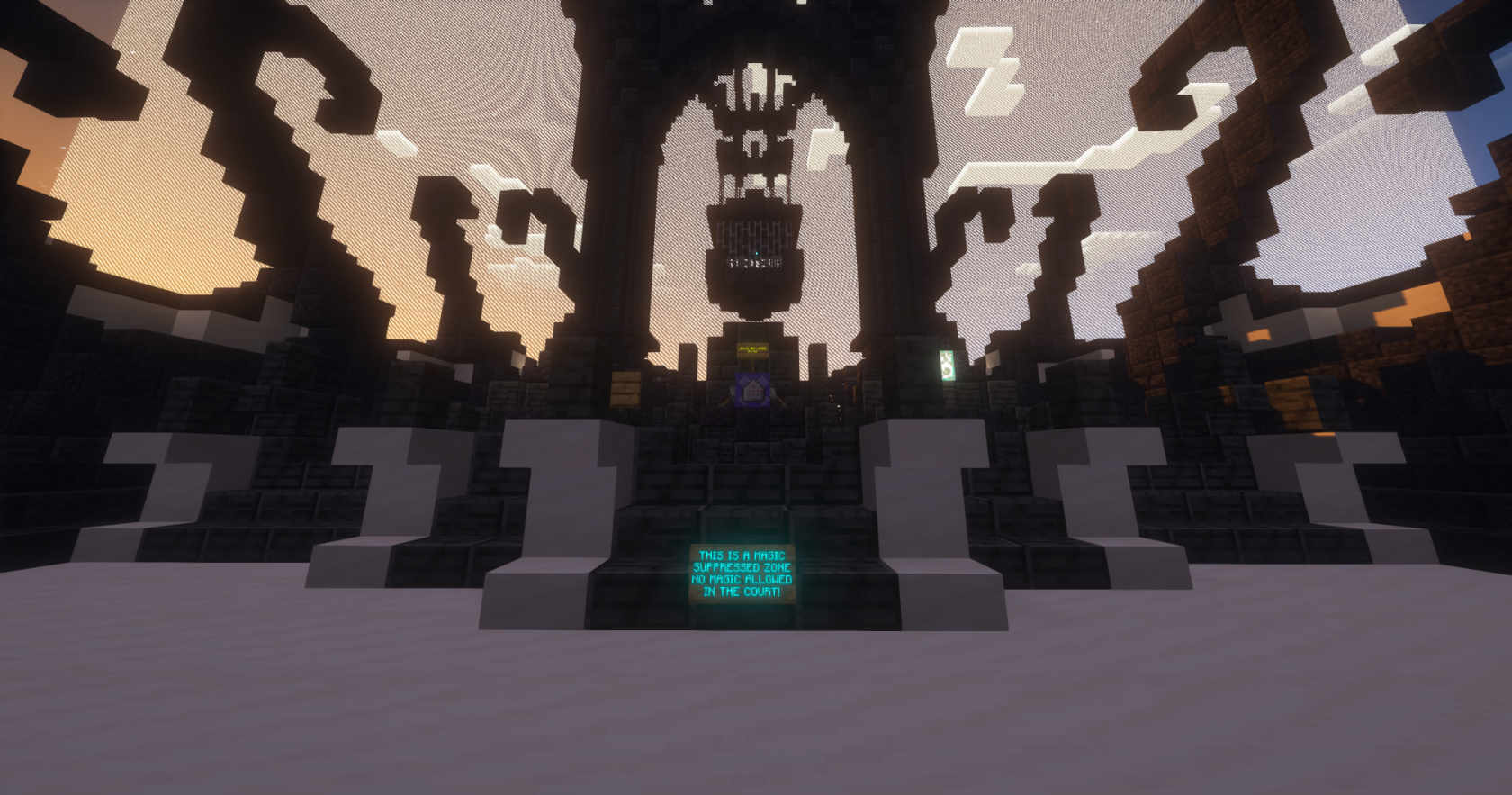
[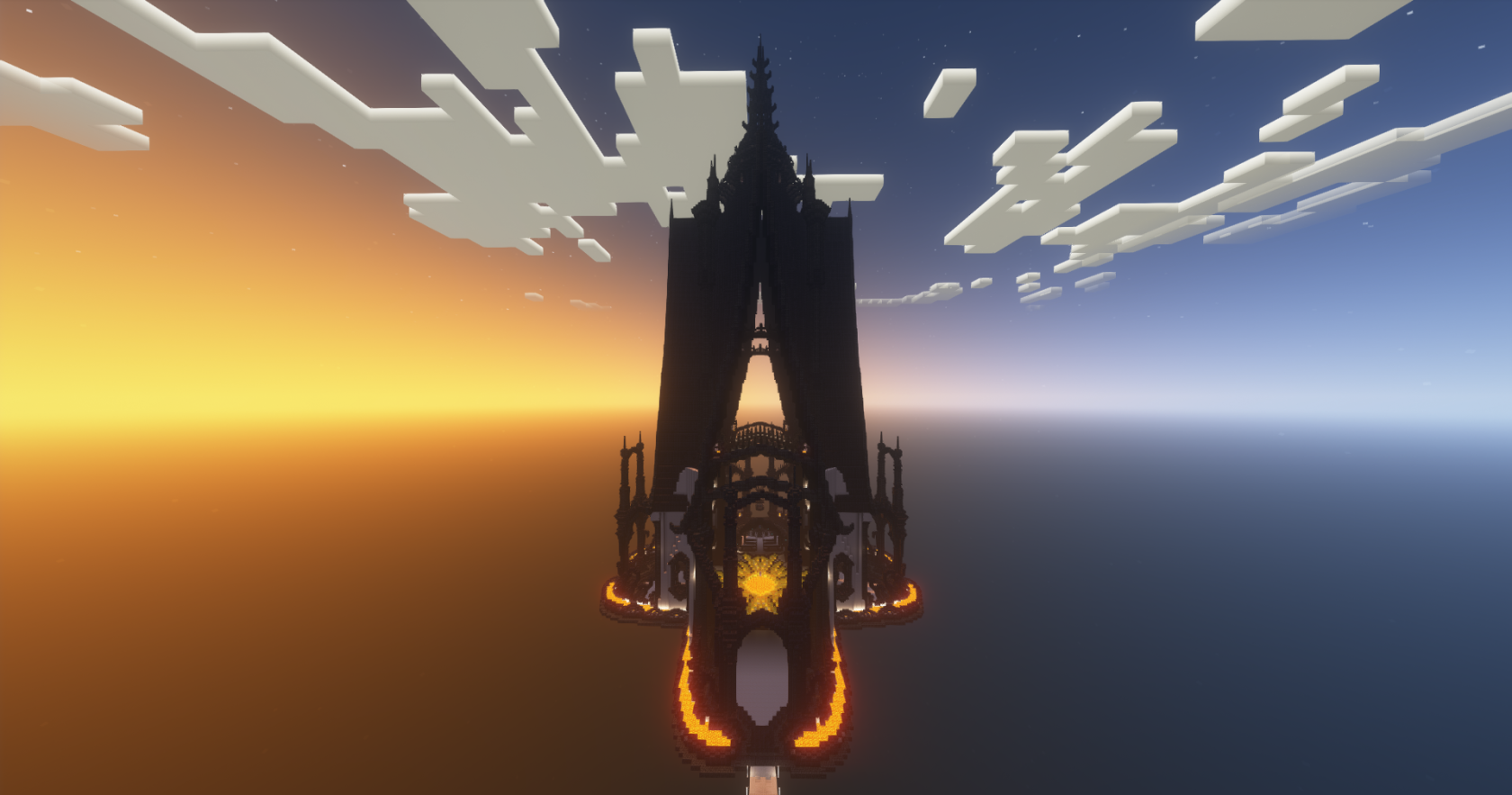](https://wiki.dragonstone.pw/uploads/images/gallery/2023-08/JB02023-08-30-12-40-21.png)
*Cycle 6's Outside View o**f *Court**
The Court's purpose is to settle disputes amongst those in Dragonstone. The court is large and features a lava pit in the center that is only accessible through an iron door. The court can be found using **/warp court.** It is also connected to the white bridge that connects to the **[forge](https://wiki.dragonstone.pw/books/dragonstone-wiki/page/dragon-forge "Dragon Forge"),****[shops](https://wiki.dragonstone.pw/books/dragonstone-wiki/page/shops "Shops"),** and [**PVP arena**](https://wiki.dragonstone.pw/books/dragonstone-wiki/page/pvp-arena "PVP Arena")**.**
**Additional:** The Court is now controlled by an AI, and is in a Magic Suppressed Zone.
Documentation of past court cases can be found **[here.](https://wiki.dragonstone.pw/books/tomes-of-dragonstone/chapter/dragonstone-court-cases "Dragonstone Court Cases")**
[](https://wiki.dragonstone.pw/uploads/images/gallery/2023-08/2023-08-30-12-41-27.png)
# Dragon Forge
[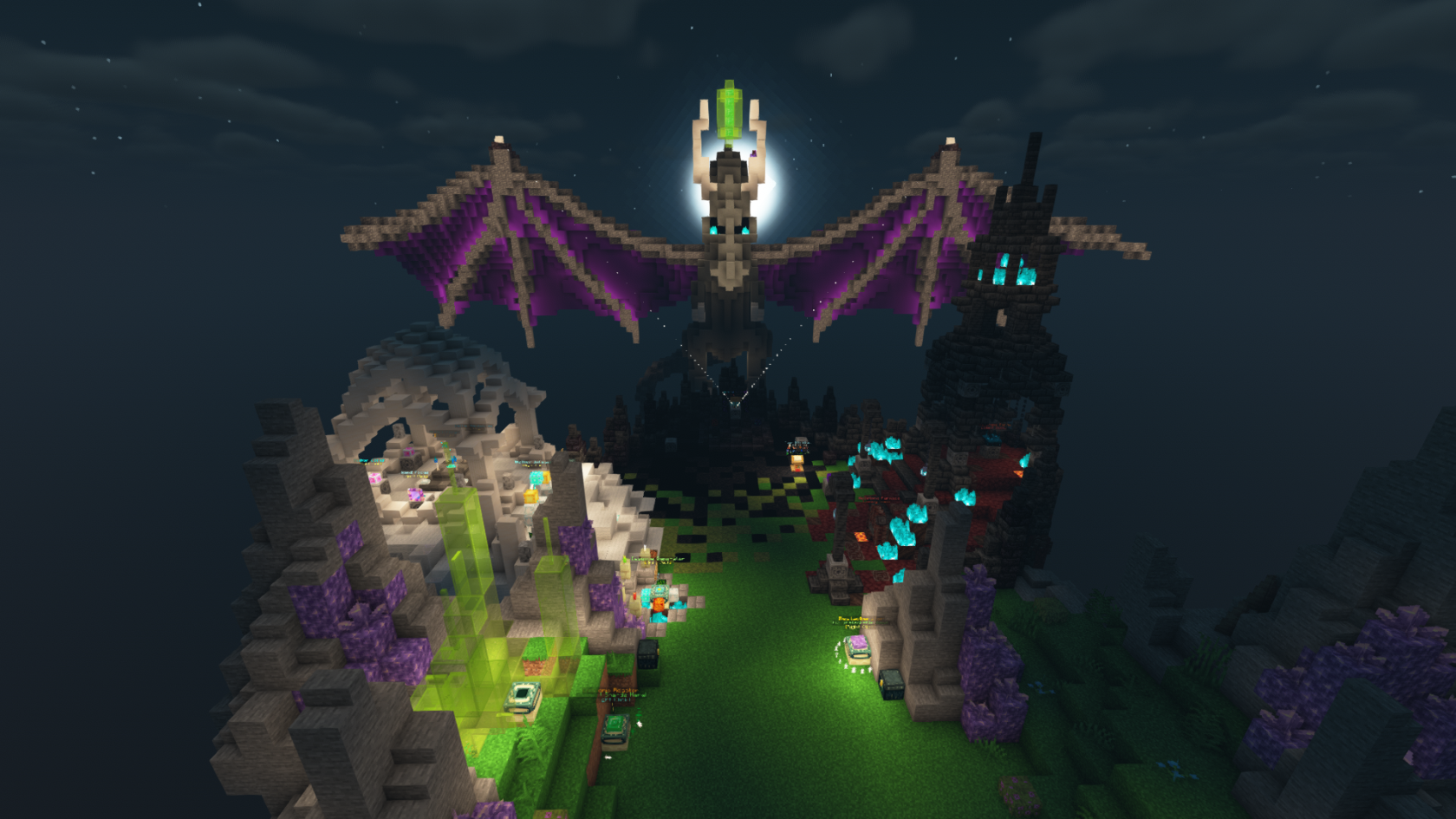](https://wiki.dragonstone.pw/uploads/images/gallery/2022-02/image-1643833066867-36-45.png)
The Dragon Forge is used to make powerful weapons and tools. The forge can be traveled to with **/warp forge.** It is also connected to the white bridge that connects to the **[shops](https://wiki.dragonstone.pw/books/dragonstone-wiki/page/shops "Shops"), [court](https://wiki.dragonstone.pw/books/dragonstone-wiki/page/court "Court"),** and **[PVP arena](https://wiki.dragonstone.pw/books/dragonstone-wiki/page/pvp-arena "PVP Arena").** There are 3 types of forges, although only the Aether Forge is currently usable. The other 2 types are the Draconic Forge and the Hellstone forge. The forge uses materials often found in **[dungeons](https://wiki.dragonstone.pw/books/dragonstone-wiki/page/dungeon-portal-room "Dungeon Portal Room").** This is considered "end game" content and it is suggested that you complete vanilla survival before diving into the forge.
Other information on the forge can be found in the **[Dragon Forge book.](https://wiki.dragonstone.pw/books/the-dragon-forge "The Dragon Forge")**
# Dungeon Portal Room
[](https://wiki.dragonstone.pw/uploads/images/gallery/2022-02/dungeon-portal-room.png)
The **Dungeon Portal Room** can be accessed with **/warp dungeons** or by hopping over some mushrooms from [**spawn**](https://wiki.dragonstone.pw/books/dragonstone-wiki/page/spawn "spawn"). The **Dungeon Portal Room** is a place where you and your team *(optional)* gather and prepare to brave the dangerous challenge that is the **dungeons.** This is where you can collect a majority of [**forge** ](https://wiki.dragonstone.pw/books/dragonstone-wiki/page/dragon-forge "Dragon Forge")materials to use later. Some dungeons are marked **Easy,** such as the **Tutorial Dungeon,** and **Happy Hills.** Others are labelled **Medium,** with the latest dungeon **Outpost** falling under this category. Further difficulty levels will become available when other dungeons are released. Dungeons can require a few resources to succeed. The quality of your armor, weapons, and food of choice will be pivotal in deciding your victory. For example, **The Outpost** recommends max enchanted diamond armor (However, netherite is strongly suggested) as well as a matching sword to be able to take a stand, although the **Aether Blade** is strongly preferred for its bonus damage against the undead.
Having more teammates increases the quality and quantity of loot, while also increasing difficulty.
Full Dungeon Guides can be found in the [**Dungeon Codex book.**](https://wiki.dragonstone.pw/books/the-dungeon-codex "The Dungeon Codex")
# The End
[](https://wiki.dragonstone.pw/uploads/images/gallery/2022-02/end-spawn.png)
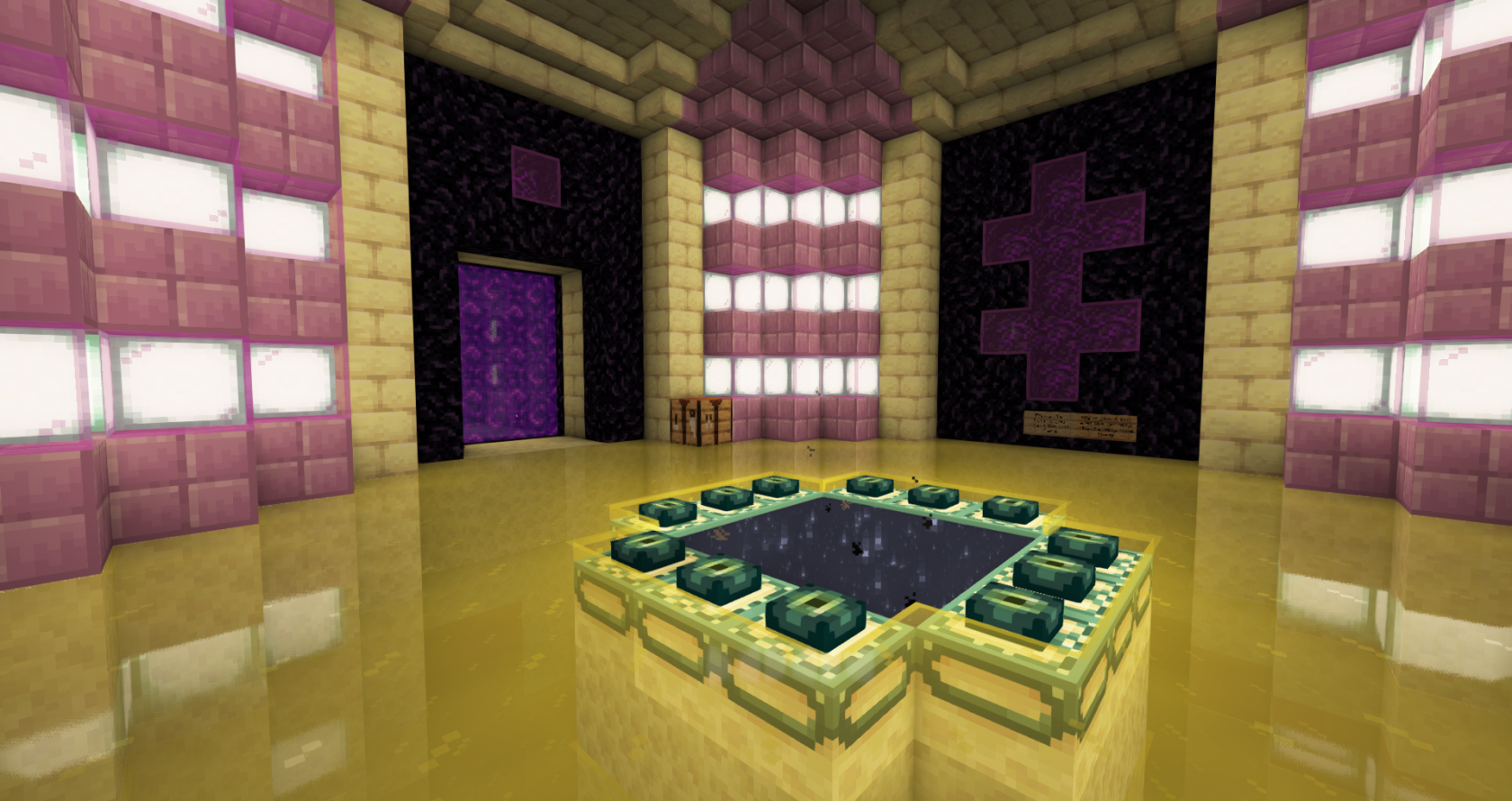
The End has been explored and conquered by many players and is now facing cosmetic reconstruction to make it look stunning. The End is often visited by players to use the public enderman farm and enchanting table. The farm has enderman fall and leaves them one hit away from death, allowing players to collect XP and repair their mending items. The End can be found by going through the public **nether** portal off of [**spawn**](https://wiki.dragonstone.pw/books/dragonstone-wiki/page/spawn "Spawn") and going south in the [**nether hub**](https://wiki.dragonstone.pw/books/dragonstone-wiki/page/the-nether-hub "The Nether Hub") to an ice path. This path leads to public end portal.
Public end portal:
[](https://wiki.dragonstone.pw/uploads/images/gallery/2022-02/image-1643834877900-39-00.png)
# The Nether Hub
[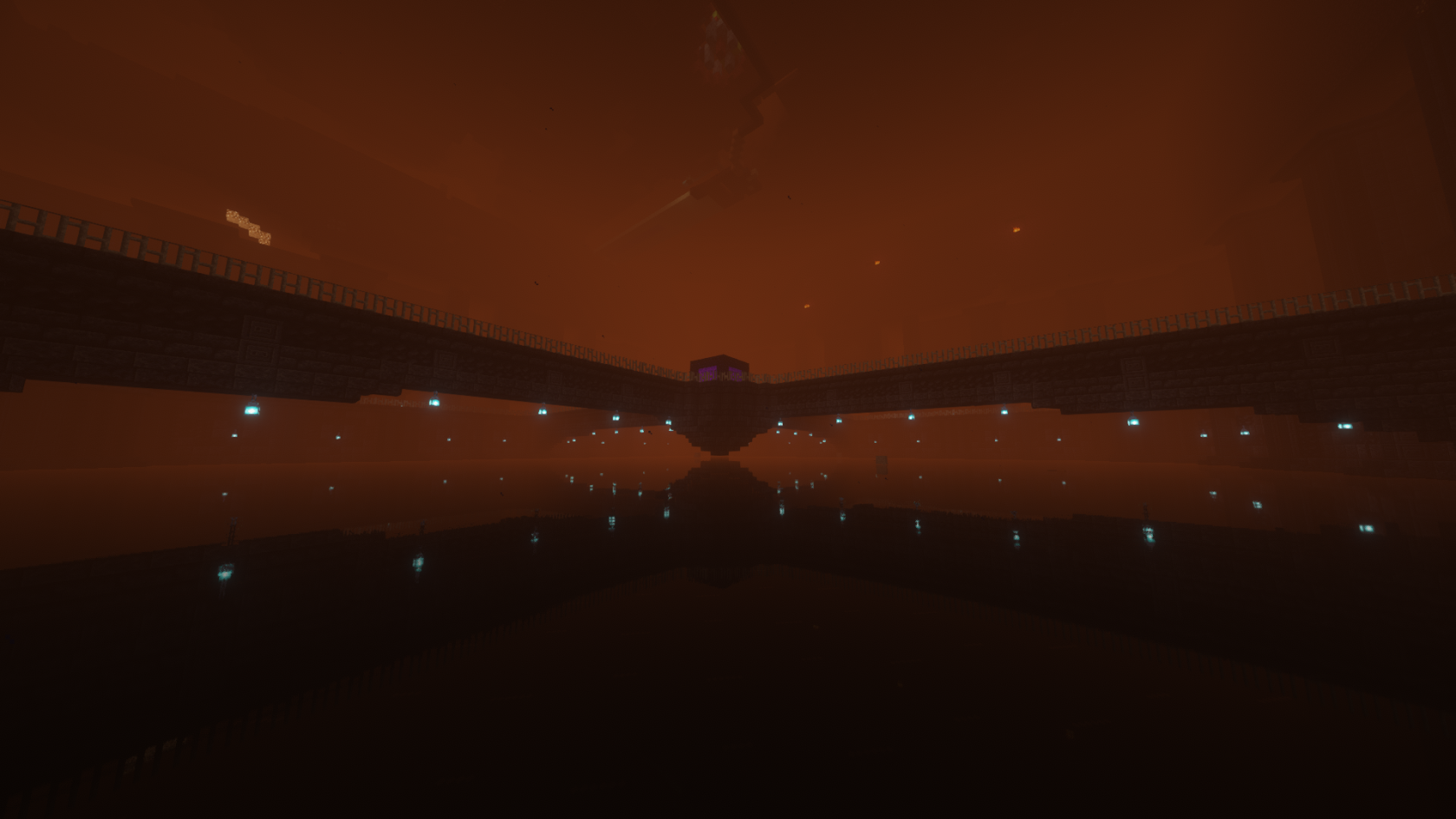](https://wiki.dragonstone.pw/uploads/images/gallery/2022-02/nether-hub1.png)
This beautiful hub is located in the Nether. You can travel to it by going through the public Nether portal, located south of [**spawn**](https://wiki.dragonstone.pw/books/dragonstone-wiki/page/spawn "Spawn") within the [**warzone**](https://wiki.dragonstone.pw/books/dragonstone-wiki/page/warzone "Warzone").
Built By Vereth
# The Overworld
## The Overworld
This particular world has been graced with Dragon's presence, with his abundant knowledge and magical skills he has blessed it with special items obtainable through entering dungeons (which is directly behind spawn) and forging the materials at /warp forge.
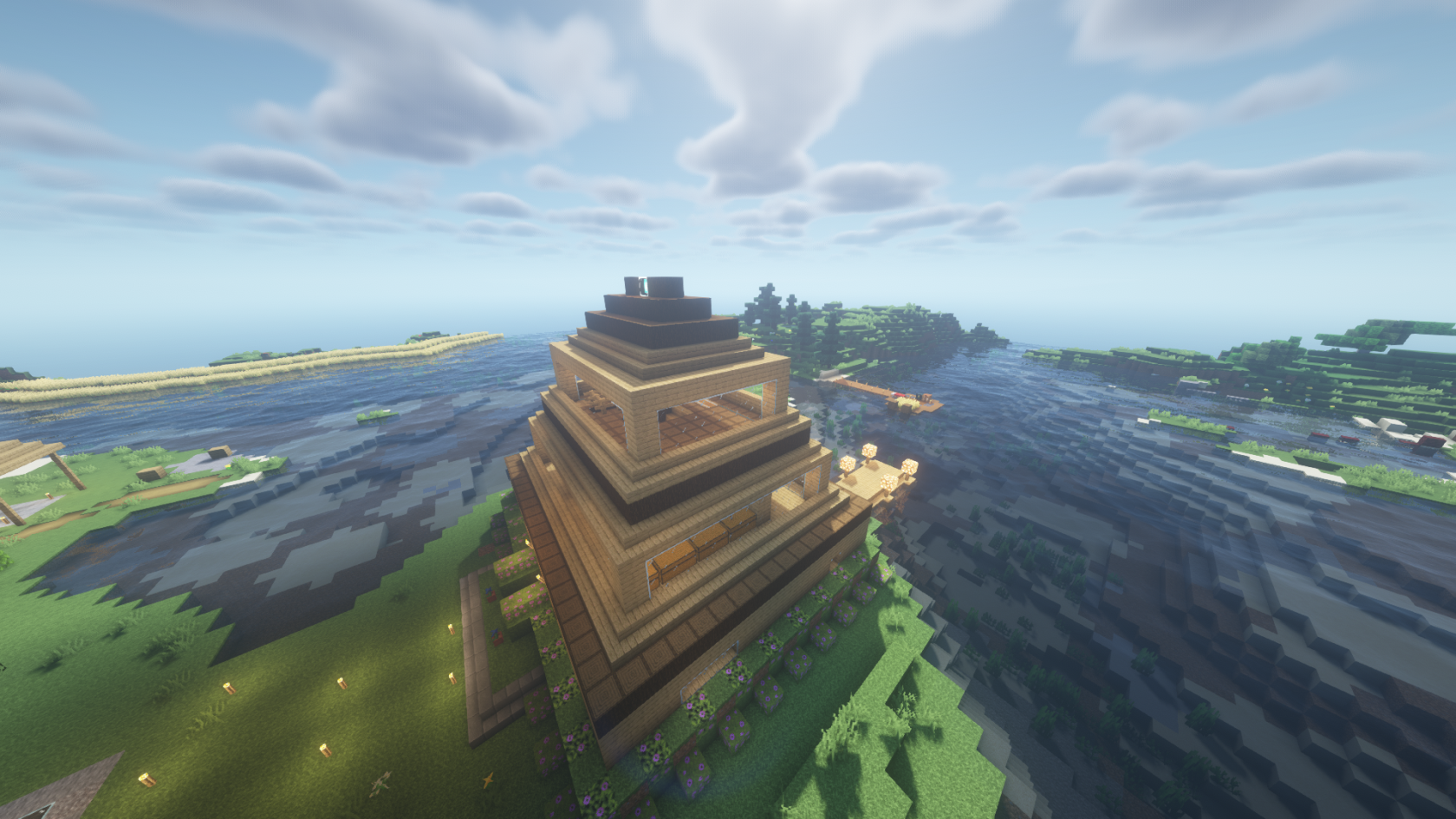
#### Coolham123's home
The Overworld is the dimension the player first spawns in. Often venturing around exploring the bountiful lands, quickly finding the first house built on this reset by the admin coolham123. While perusing his home they find his lectern most often turned to the page 6 of 9 (nice!) which states stealing place blocks is against the rules next to the shiny diamond blocks. This is something called "A test". In this case it is to see if the likely new player has read the rules and won't steal the shiny diamond blocks. If they fail, they often get jailed, leaving them plenty of time to do /rules and read upon why they were jailed.
[](https://wiki.dragonstone.pw/uploads/images/gallery/2022-02/coolham.png)
# PVP Arena
[](https://wiki.dragonstone.pw/uploads/images/gallery/2023-08/2023-08-30-12-39-29.png)
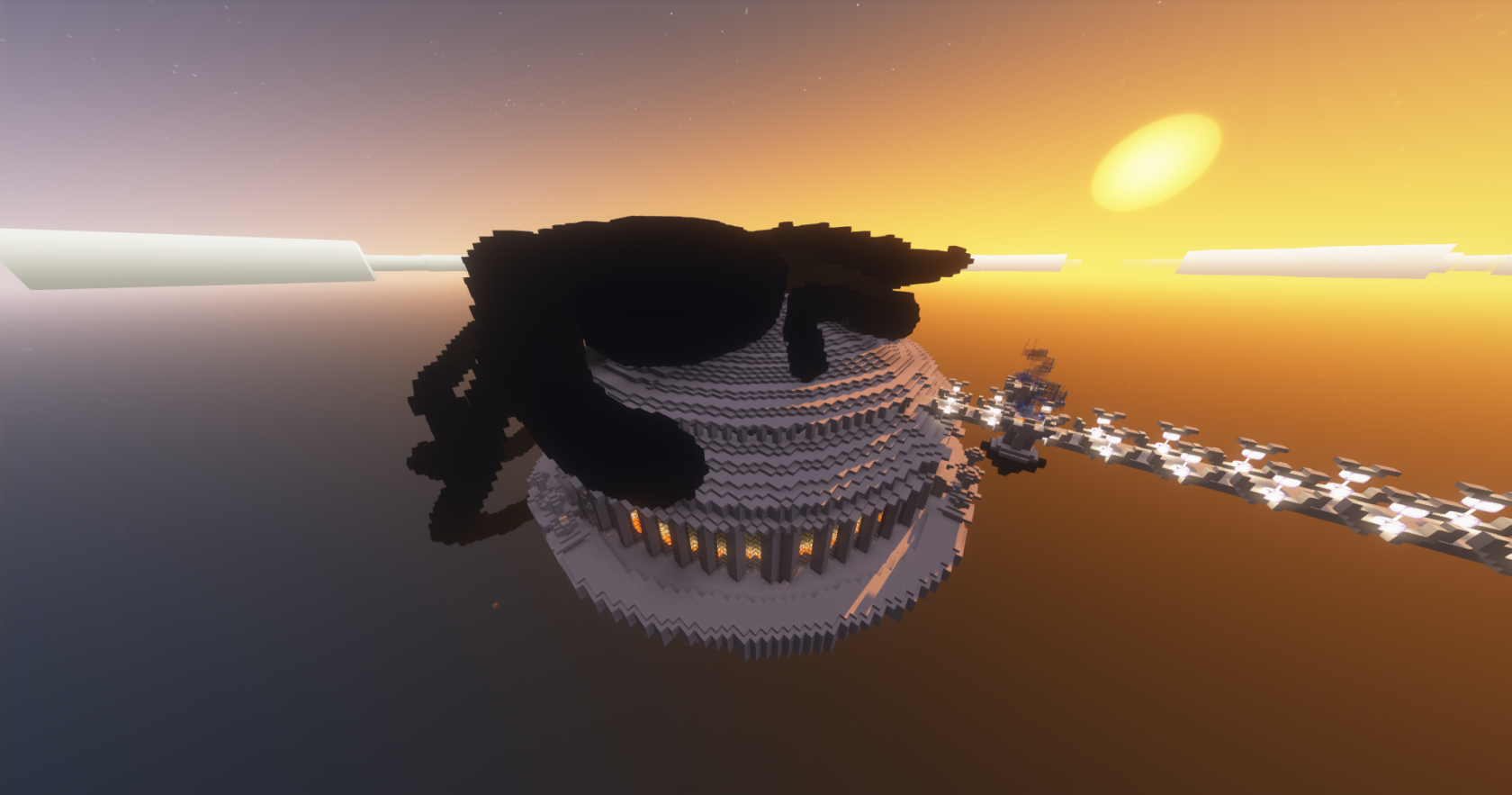
The PVP Arena, although not used very often, is a place where all players, regardless of their reason may combat one another, it is important to note that the area is **Keep Inventory** so no need to worry about losing your shinies**!** Other players can watch from above on barrier blocks that provide a birds-eye view of the battles below. This arena can be found using **/warp arena.** It is also connected to a white bridge that leads to the **[court](https://wiki.dragonstone.pw/books/dragonstone-wiki/page/court "Court"), [forge](https://wiki.dragonstone.pw/books/dragonstone-wiki/page/dragon-forge "Dragon Forge"),** and**[ shops](https://wiki.dragonstone.pw/books/dragonstone-wiki/page/shops "Shops").**
# Shops
[](https://wiki.dragonstone.pw/uploads/images/gallery/2023-08/2023-08-30-14-45-01.png)
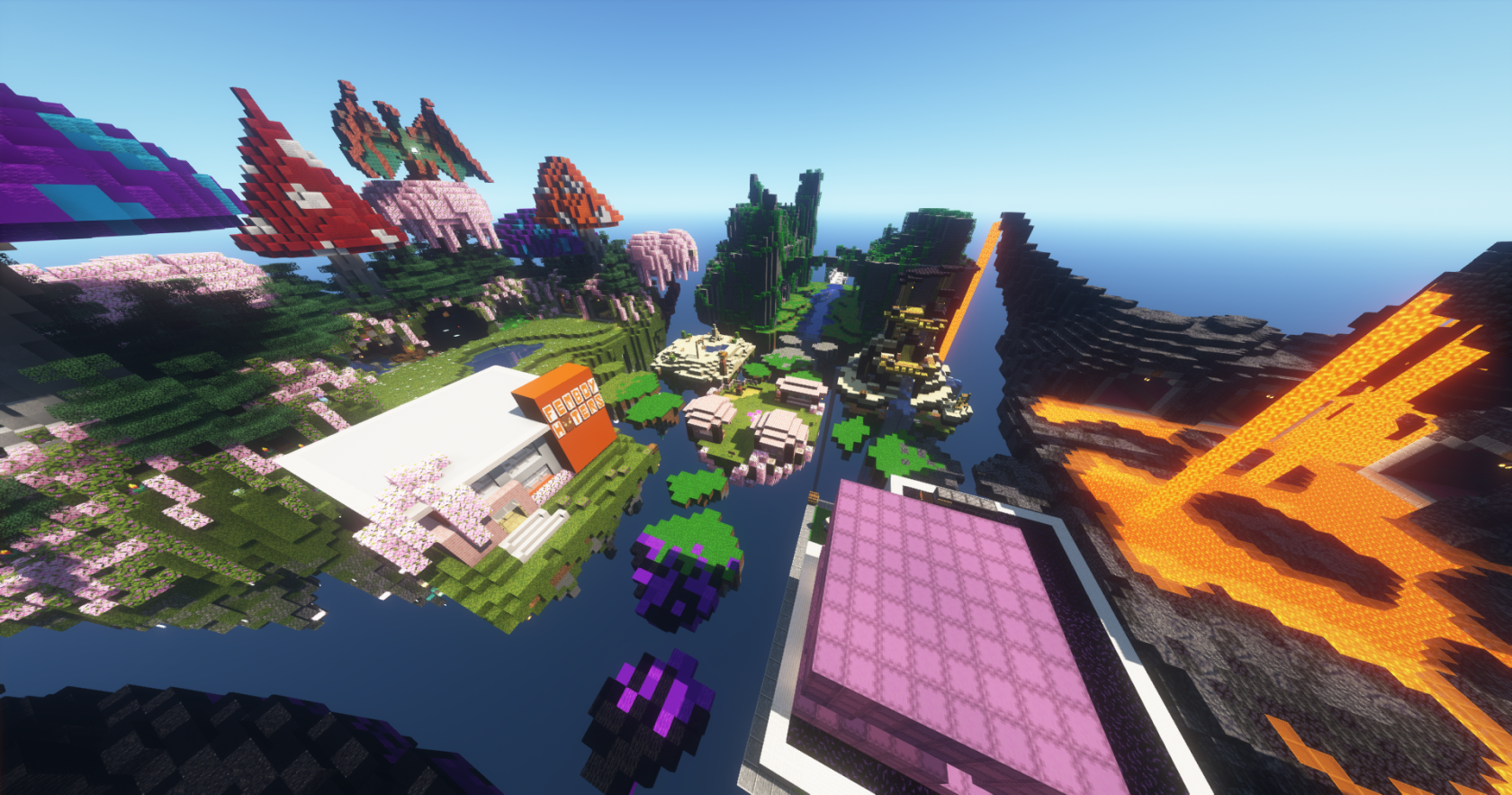
The shopping area can be accessed with **/warp shop**. It is also linked by a white bridge to [**Court**](https://wiki.dragonstone.pw/books/dragonstone-wiki/page/court "Court"), the [**Forge** ](https://wiki.dragonstone.pw/books/dragonstone-wiki/page/dragon-forge "Dragon Forge")(dshop), and the [**Arena**](https://wiki.dragonstone.pw/books/dragonstone-wiki/page/pvp-arena "PVP Arena"). Players can enter a shop and interact with the shopkeeper (almost always a villager, but sometimes there's endermen) to view trades and purchase items. Customers cannot view a shop's inventory, which is contained within a chest, which the villager keeps locked. Only the owner of that chest can open it and edit the villager's appearance and trades. Common currencies include *Iron Ingots, Diamonds, Shard Dust,* and *Dragon Shards,* however any item can technically be used as currency.
There are 2 types of shops: Island shops (4 total) and regular shops (29 total). The regular shops are split into 4 themed areas: Mushroom Island, Ruins, Volcano Island, and Casino Island.
##### **Some shop examples:**
[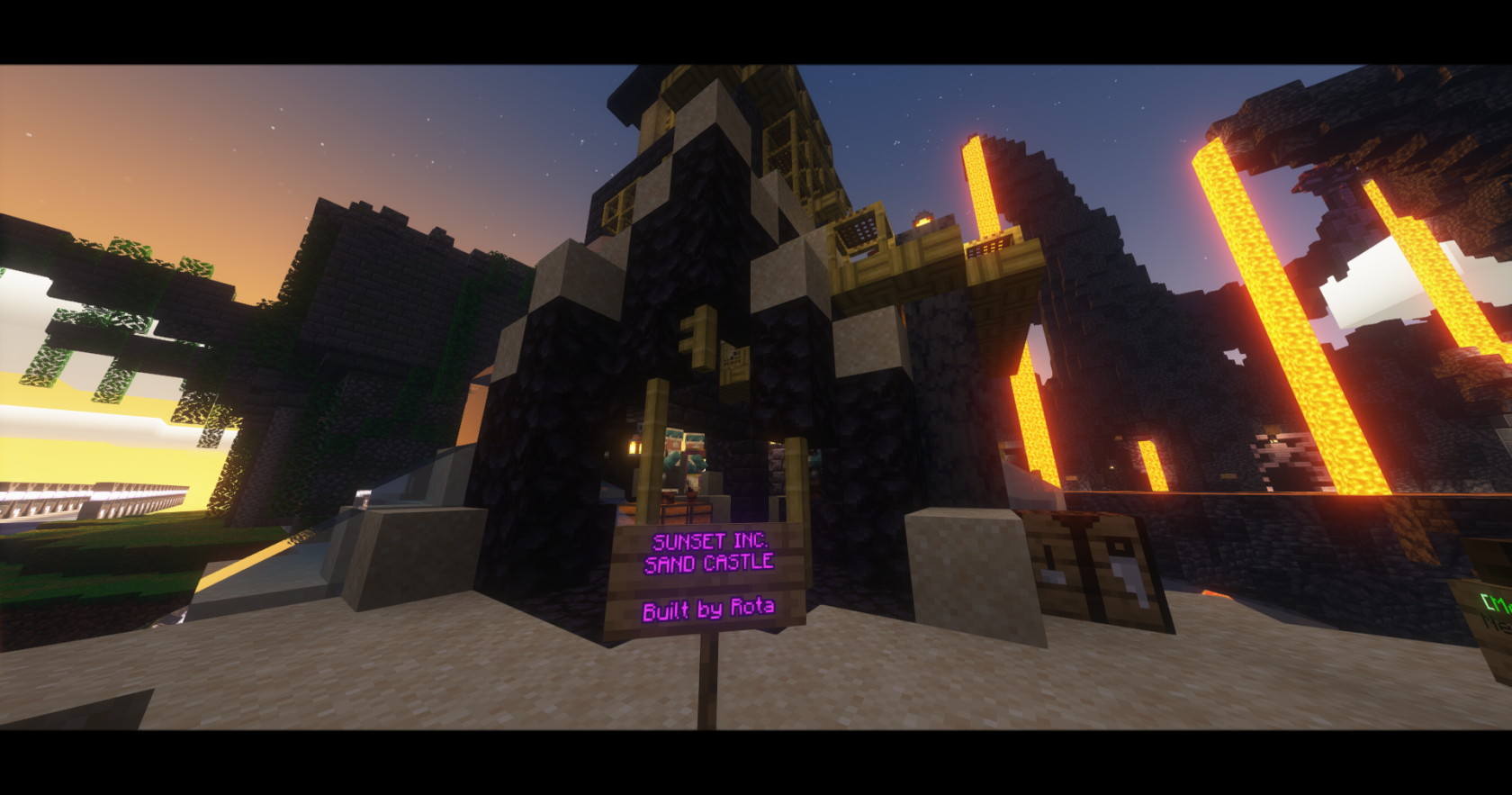](https://wiki.dragonstone.pw/uploads/images/gallery/2023-08/2023-08-30-14-40-25.png)Sunset's Sand Castle (constructed by Rota)
[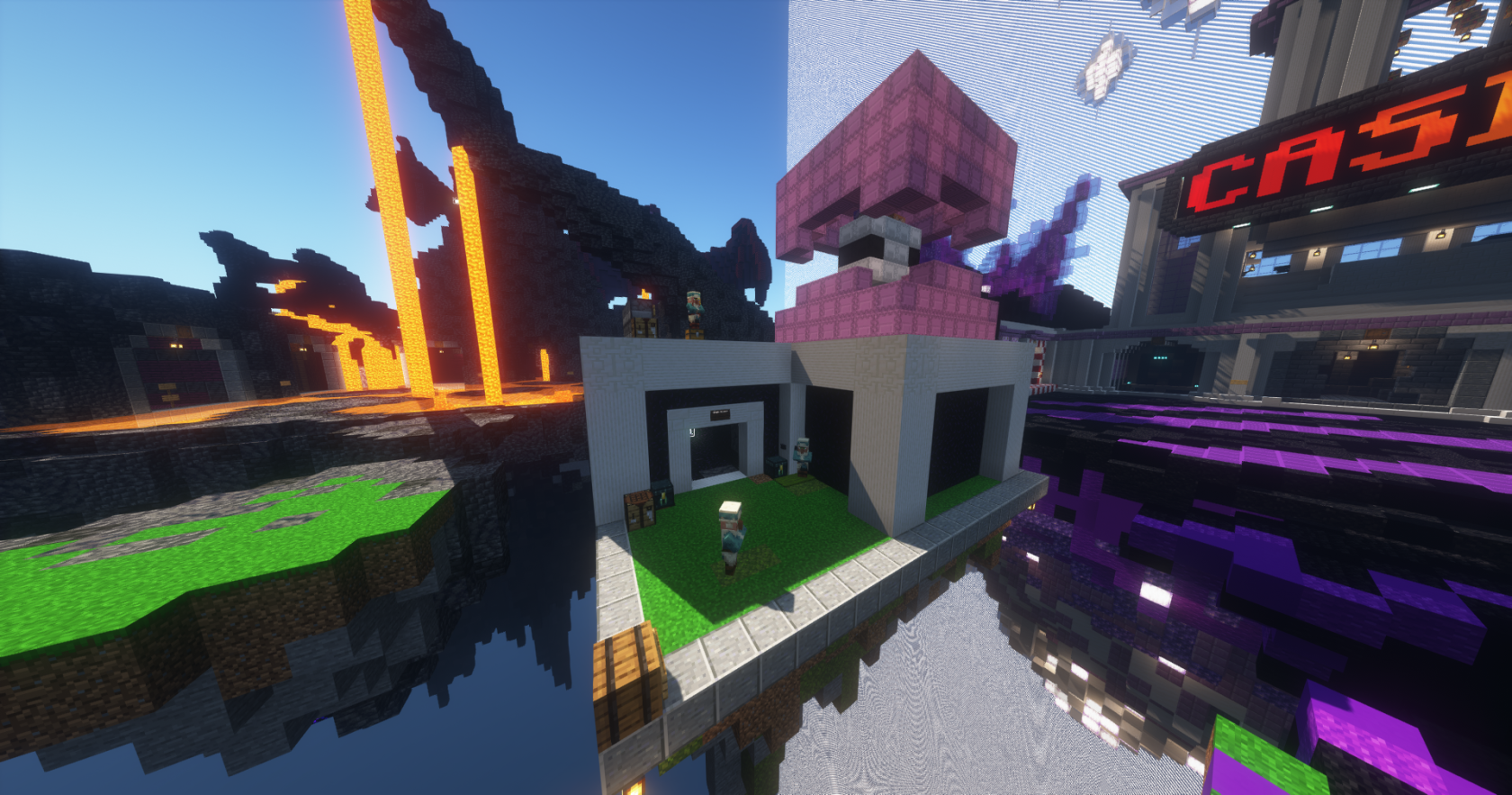](https://wiki.dragonstone.pw/uploads/images/gallery/2023-08/2023-08-30-14-52-47.png)Shulker Shop Island( Ran by MENTOS, Iron, and lmt77)
[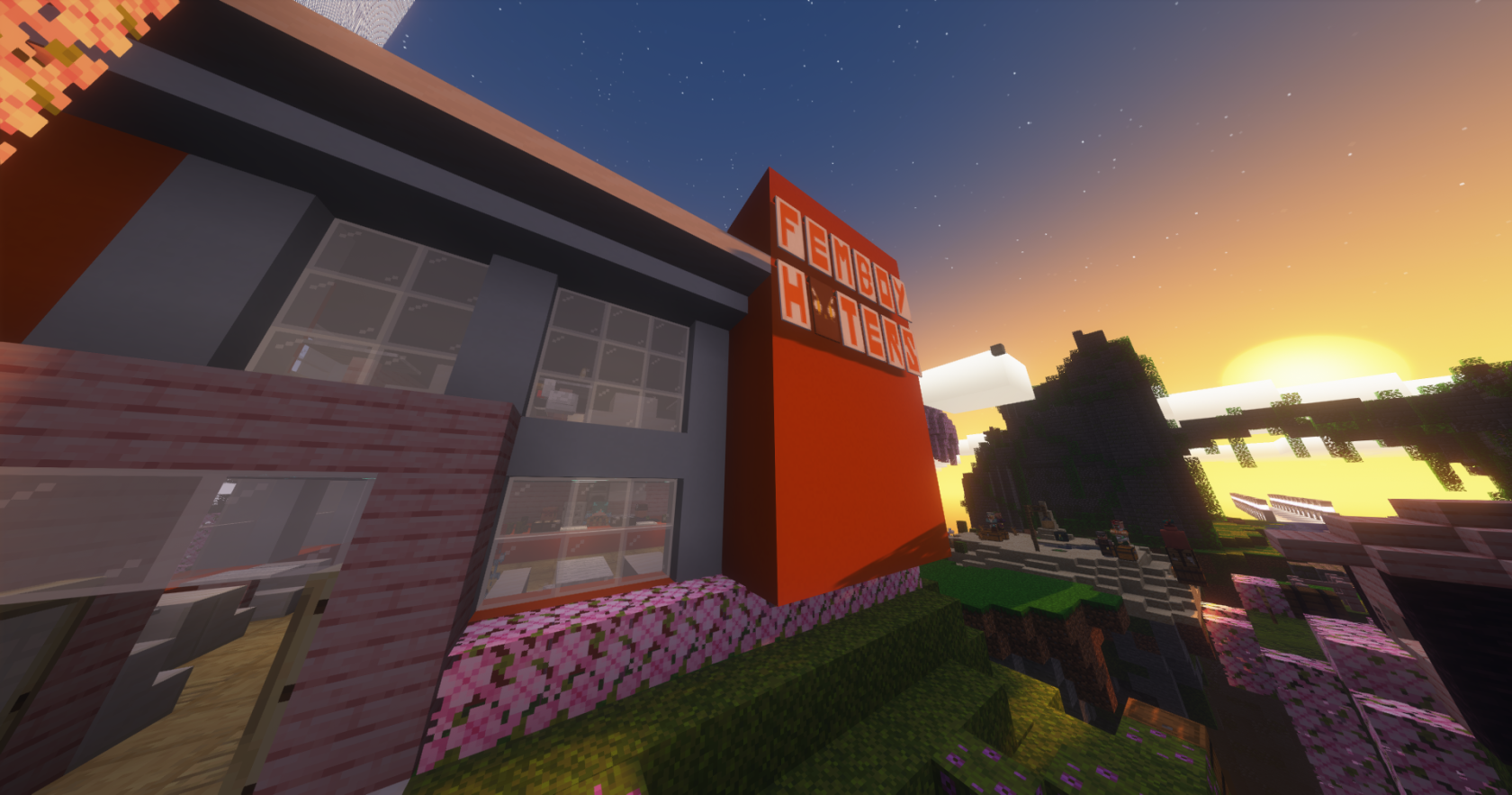](https://wiki.dragonstone.pw/uploads/images/gallery/2023-08/2023-08-30-14-40-43.png)Femboy Hooters (Ran by Maliah and additional staff)
[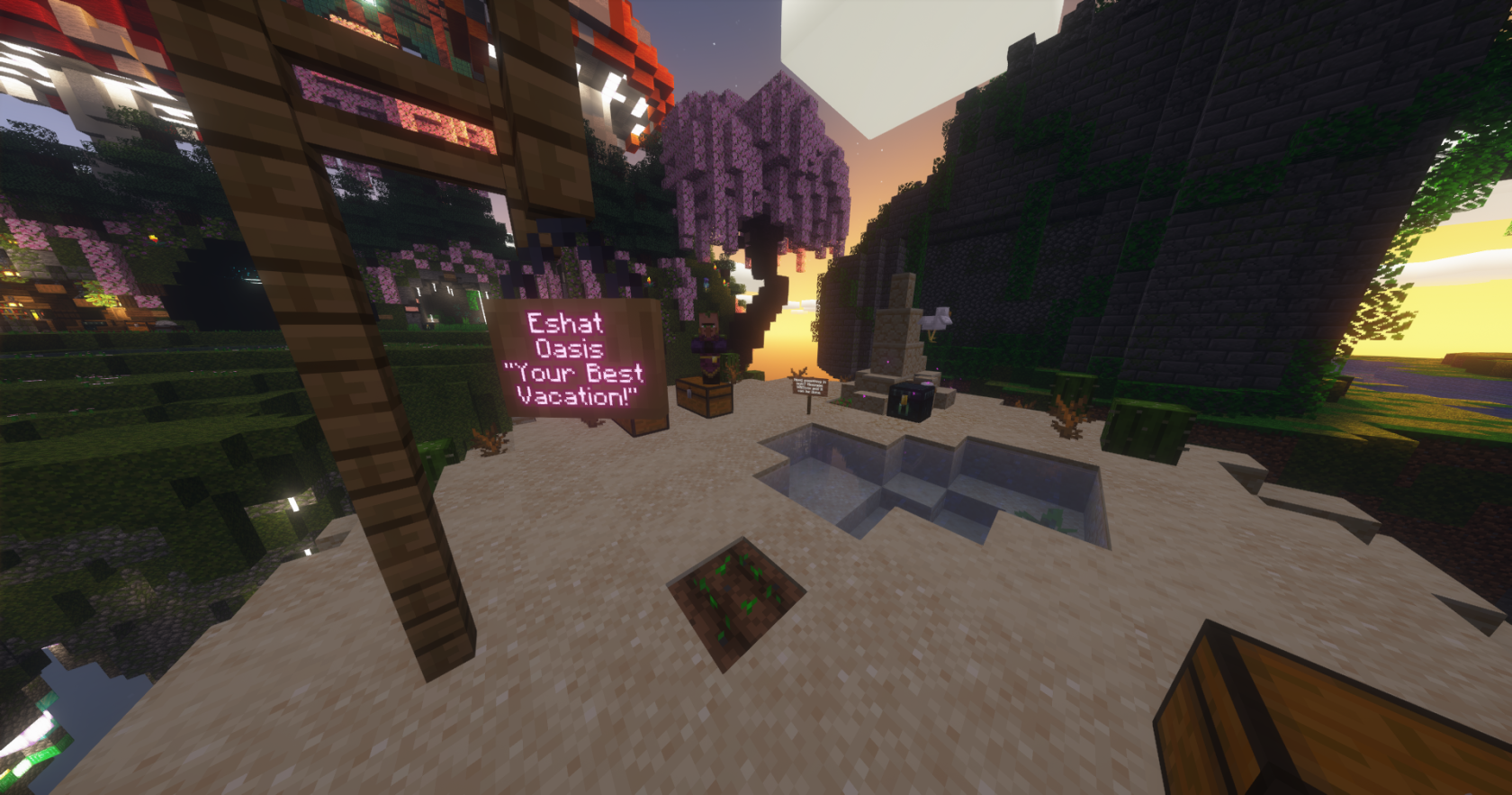](https://wiki.dragonstone.pw/uploads/images/gallery/2023-08/2023-08-30-14-40-36.png)Eshat's Oasis (Ran by Eshat)
****
# Spawn
[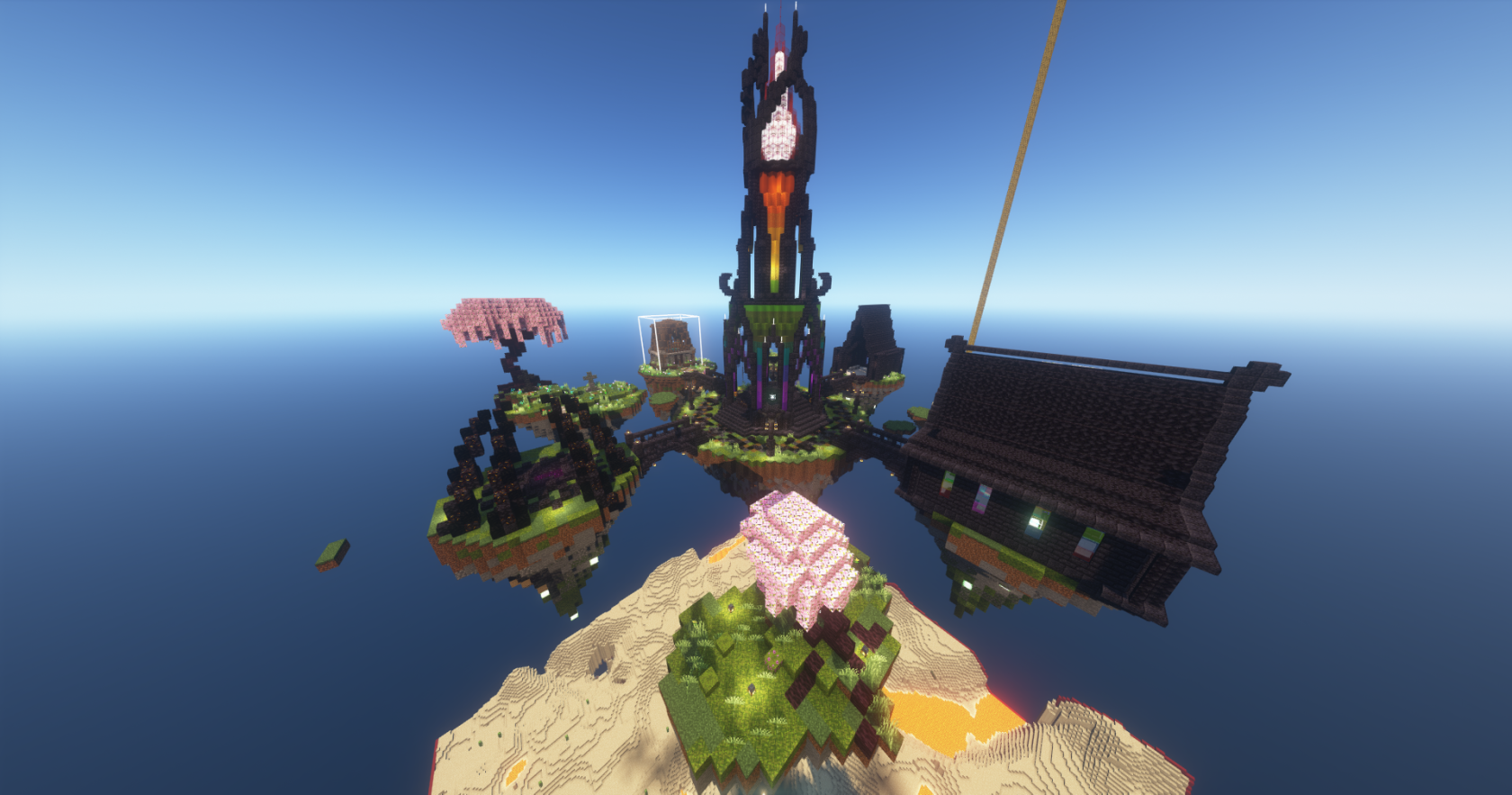](https://wiki.dragonstone.pw/uploads/images/gallery/2023-08/2023-08-30-15-05-24.png)
All coming travelers start off at spawn. You can also teleport here with **/spawn**. The spawn is located at 0,0 in the sky. There are four different paths you can go from spawn. Going south from spawn will send you launching into the sky and either off the platform, or into the **[RTP Portal](https://wiki.dragonstone.pw/books/dragonstone-wiki/page/random-teleport "Random Teleport").** West of spawn you will find **grief examples.** The grief examples show you what is and what isn't allowed on Dragonstone. East you will find the Top Donators of this current cycle. North you will locate the Staff Room If you choose to drop off the platform you will land in the[**warzone**](https://wiki.dragonstone.pw/books/dragonstone-wiki/page/warzone "Warzone"). There you can find the public [**nether**](https://wiki.dragonstone.pw/books/dragonstone-wiki/page/netherhub "Netherhub") portal.
**Additional Images:**
In earlier cycles, spawn used to have [**The Dungeon Portal Room****.**](https://wiki.dragonstone.pw/books/dragonstone-wiki/page/dungeon-portal-room "Dungeon Portal Room") However, as the current cycle, it was removed.
Going North East you will find...
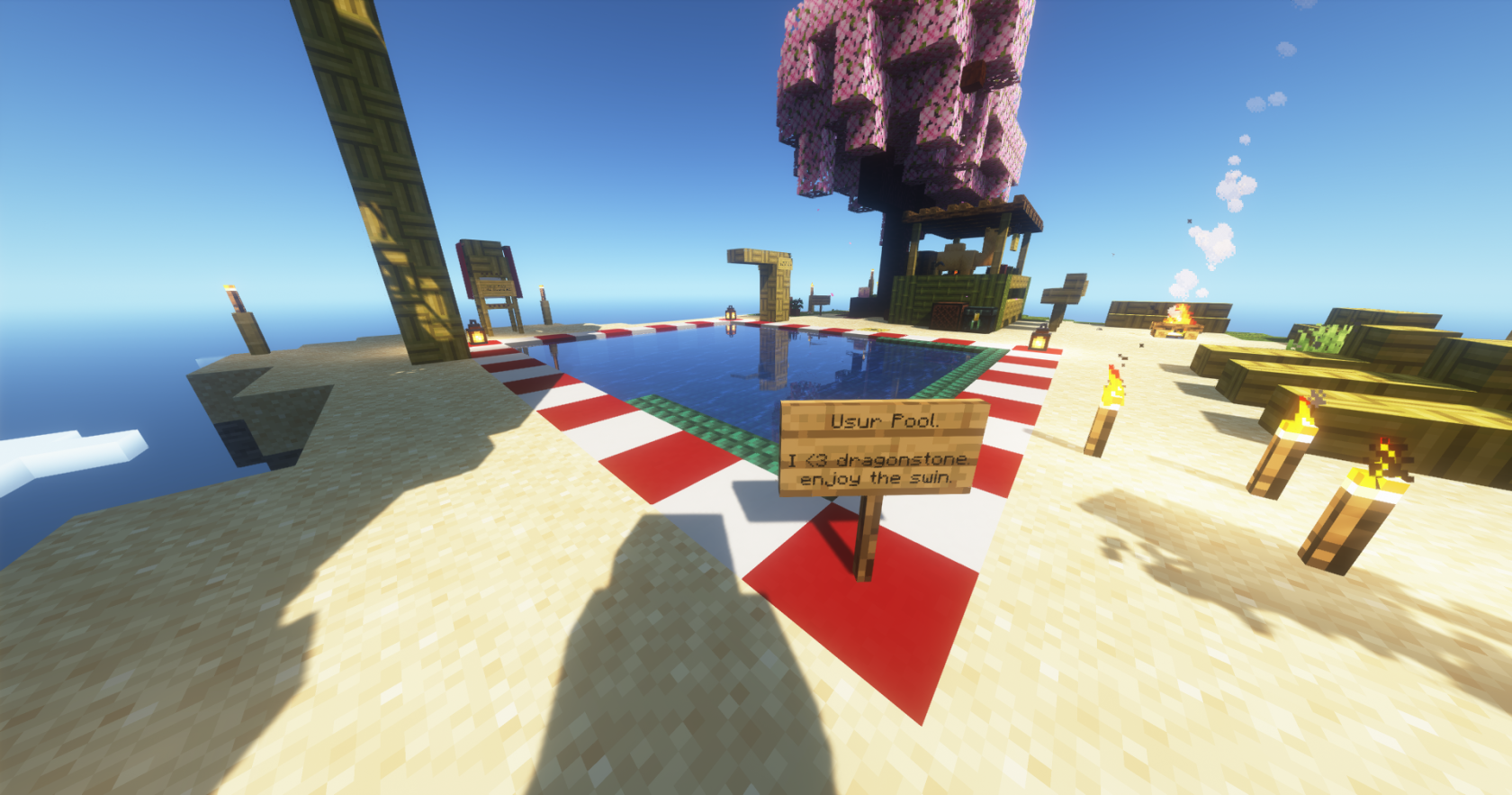
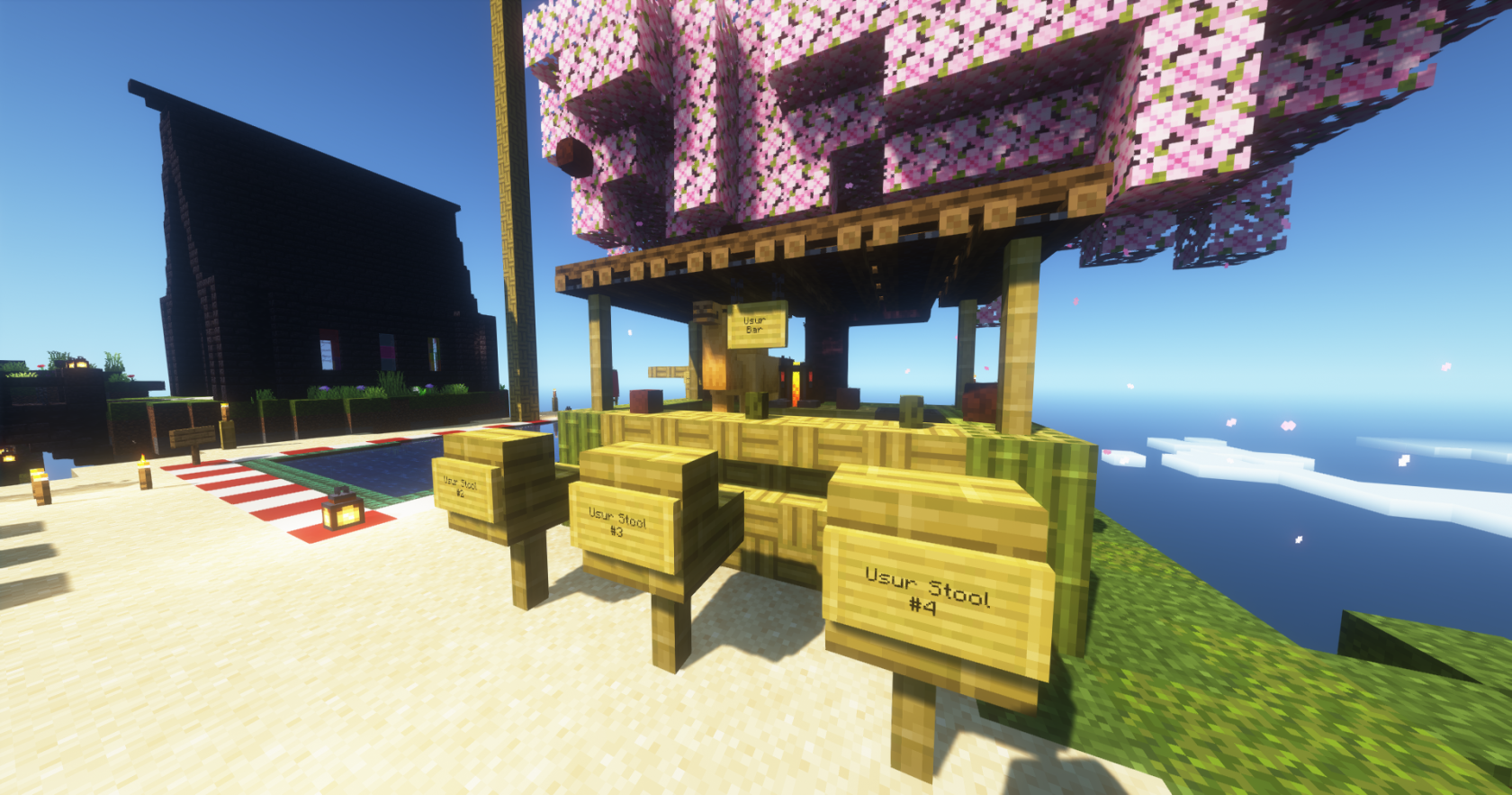
#### **Usur Island!****[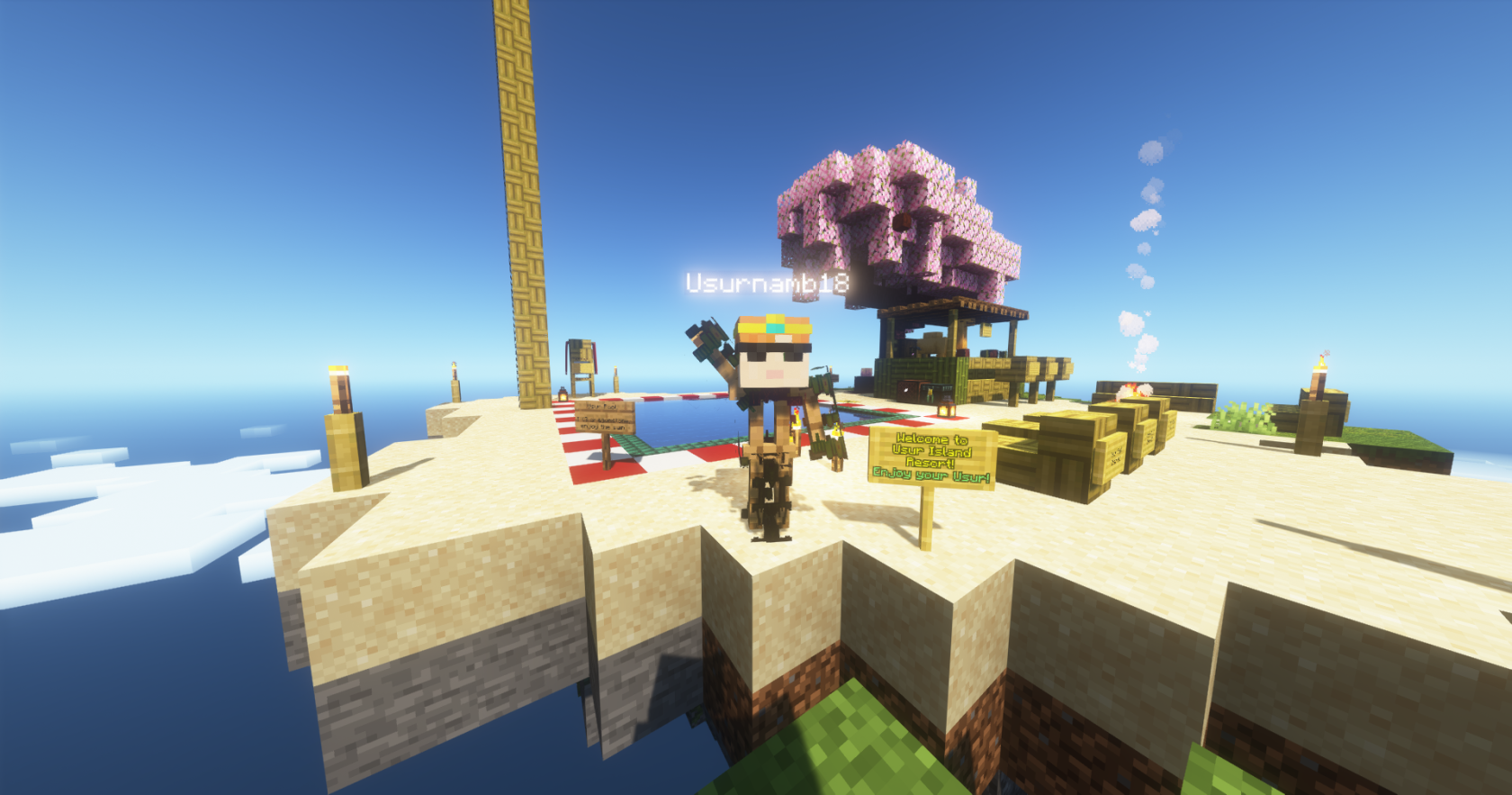](https://wiki.dragonstone.pw/uploads/images/gallery/2023-08/99D2023-08-30-12-33-09.png)****Usur Island has the greatest qualities of almost any resort, like a pool, (with a very tall diving board), relaxing chairs, and a Bar where the only refreshment (served by a camel) is Sprite Cranberry!**
##### **Usur Pool:**
[](https://wiki.dragonstone.pw/uploads/images/gallery/2023-08/GsY2023-08-30-12-33-36.png)
##### **The Bar:**
[](https://wiki.dragonstone.pw/uploads/images/gallery/2023-08/F8y2023-08-30-12-33-28.png)
note: usur is not responsible for any effects gained by drinking from the bar, or from jumping off the diving board.
# The Void
[](https://wiki.dragonstone.pw/uploads/images/gallery/2022-02/image-1643833914955-08-44.png)
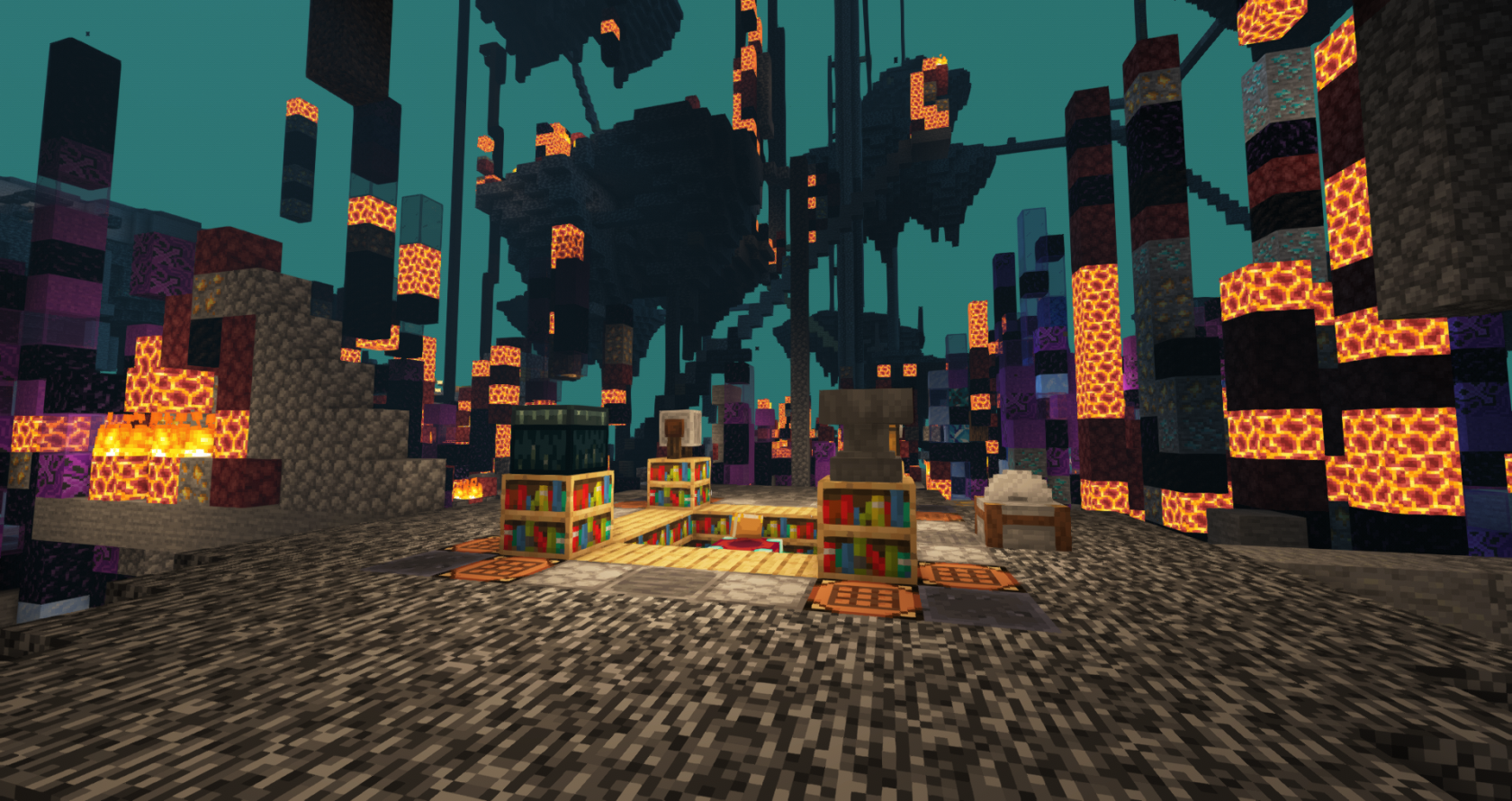
The place the server sends you while it's magic recharges. Many report of having incredibly powerful enchants in this location. Players often fight here as there is nowhere to run nor nowhere to hide along with the fact there are plenty of custom abilities. It is said that more valuable materials can be found the higher you climb.
Dragon using his powers has gifted a fraction of his powers to certain players to help maintain the disguise of Dragonstone. With his gift they became powerful beings sworn to not disrupt the actions of the average player only to maintain passage between the islands he put in there for the players to enjoy. These players bear a pickaxe symbol by their username.
# Warzone
This is the zone between spawn and the general server. In previous versions such as 1.17.
There was a more notable difference between it and spawn however in 1.18 it's start is indicated by red wool and end by blue wool.
**Notable Differences from Other Map Locations**
- PvP is Enabled
- Building is Prohibited
- Custom Trees are densely packed to encourage melee
- Terrain is Intentionally damaged to restrict movement
**Points of Interest**
- Christmas tree south west of spawn
- Water tunnel is an alternative exit to spawn
[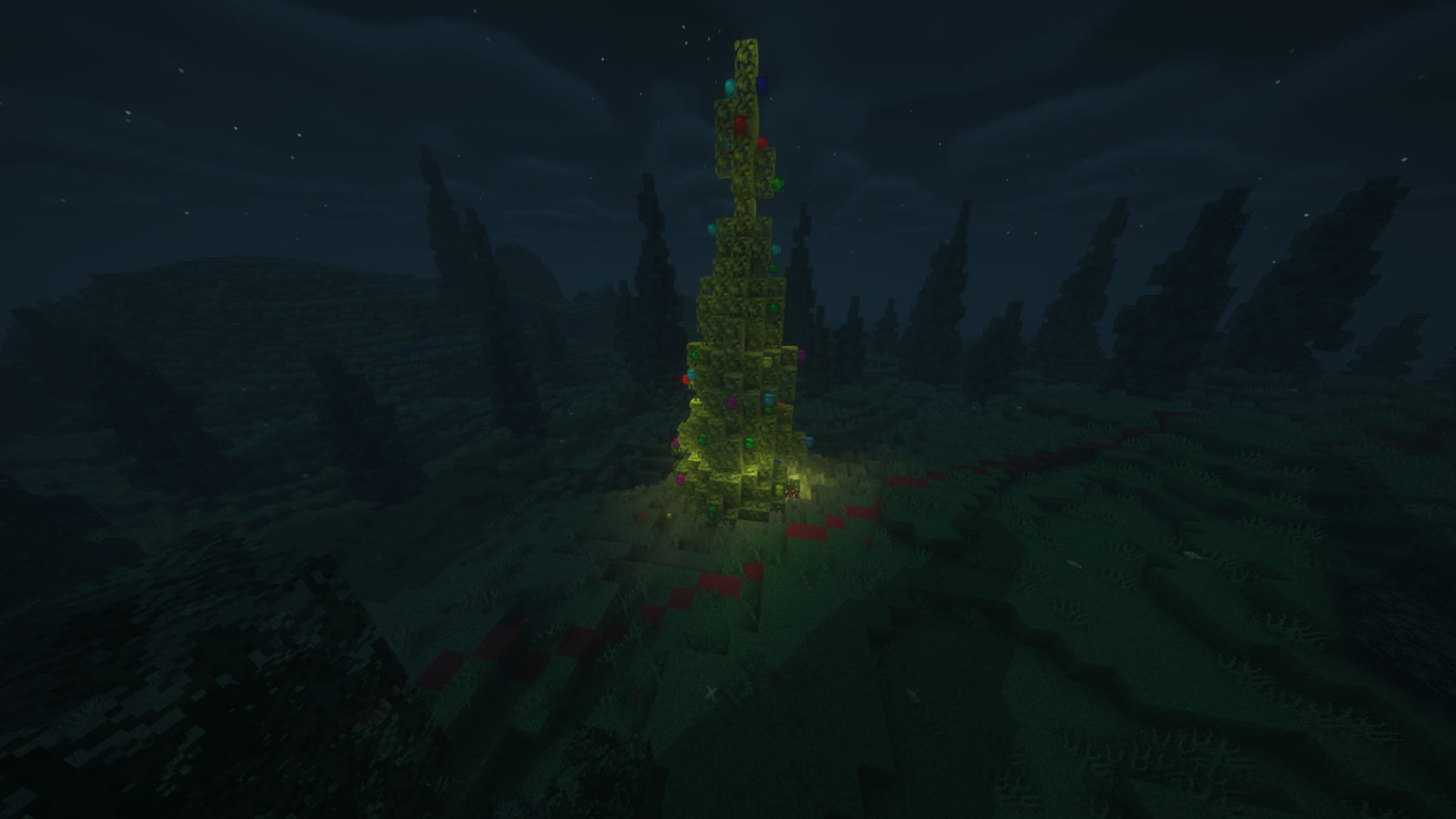](https://wiki.dragonstone.pw/uploads/images/gallery/2022-02/crimas.png)
# Elemental Affinity (Temporarily Removed)
# Affinity System
This page is unfinished! Here is a transcript of the patch notes and Discord Announcement until this page is properly formatted.
### Elemental Affinity
Thanks to a new system, we are now able to buff Dragonforge stats whenever you gain Mastery in an Element.
Elemental Affinity buffs have been reworked to take advantage of this new system, providing more beneficial bonuses that properly interact with damage and stat bonuses from forge items.
As of this patch, the maximum mastery level is 25.
##### -------------------- Air --------------------
Increase the fire rate of wands and staffs by 1% per level.
Reduces ability and spell cooldowns by 1% per level.
Amplifies spells that use this element by 1% per level.
##### -------------------- Fire --------------------
Increases physical damage by 1% per level.
Increases damage to dungeon bosses by 1% per level.
Amplifies spells that use this element by 1% per level.
##### ------------------- Water -------------------
Increases bow and autobow damage by 1% per level.
Increases autobow fire rate by 1% per level.
Reduces autobow reload time by 1% per level.
Amplifies spells that use this element by 1% per level.
##### ------------------- Earth -------------------
Increases damage resistance by 1% per level.
Increases knockback resistance by 1% per level.
Amplifies spells that use this element by 1% per level.
Some items can grant bonus affinity in certain elements while equipped, however this only improves amplification for spells that use the same element and does not improve the above stats.
#### Elemental Amplification
Gaining Affinity and Mastery in the elements will also amplify spells that use the same element, making them more powerful.
[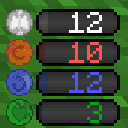](https://wiki.dragonstone.pw/uploads/images/gallery/2022-05/image-1652932642230.png)For example, an Air Spell such as "Whirlwind" from the True Aether Blade can be amplified by Air Affinity.
Having 25 Affinity will amplify the damage of most spells of the same element by x1.25 (1% per point)
The Affinity Bars located on the right side of your hotbar will display your Elemental Amplification, as this is a combination of Elemental Affinity gained from both your Elemental Mastery and from equipping items.
Thanks to this, as another example, if you primarily use Fire based spells and wands, it may be beneficial to pursue mastery over Fire as well as items that grant you bonus Fire Affinity.
##### **Discord Announcement Transcript**
**Major Update!** @here
Greetings everyone, we are happy to announce the release of the new **Elemental Affinity** system for Dragonstone! This system is designed to expand a bit on the lore of Dragonstone, as well as provide everyone with something to do passively.
As you explore the world, mine underground, and fight monsters up close or at a distance, you will gain "Affinity" towards a certain Element of Reality. Once you gain enough, you will gain Mastery in that element. You may gain favor with the elements of **Air**, **Fire**, **Water**, and **Earth**.
Your Elemental Mastery will affect the strength of special abilities on Dragonforged items, especially new ones that are going to be released soon once the next dungeon is completed. You will also gain some very small stat bonuses based on your Elemental Mastery.
*Your Elements may also have an influence over certain encounters in future dungeons...*
View the original announcement here:
[https://discord.com/channels/574455026672730123/578459112099020820/886560032257368114](https://discord.com/channels/574455026672730123/578459112099020820/886560032257368114)
Use the following commands while in-game to learn more about the Elements!
**/affinity** See how to gain Affinity for each Element, view your Elemental Affinities and how close you are to achieving Mastery.
**/mastery** View your Elemental Mastery and what stats are being influenced by your Elements.
**/affinitytop** View those who have the strongest bond with the Elements.
(Aliases: `/skills`, `/stats`, `/skilltop` - For those of you who prefer that instead)
**Server Changes:**
\- Added Elemental Affinity System.
\- Added a few new commands to go with this system.
\- The previous `/stats` command is now `/statistics`.
\- Modified the Affinity Viewer in the Dragon Forge to show Elemental Affinity gained from Dragonforged items separately.
\- **Elemental Mastery is currently capped at Level 20.** We shall increase it in the future.
\- Affinity gain from all sources is reduced until we find a healthy balance. Expect lots of tweaking in the coming weeks.
\- Affinity gain from dungeons is heavily reduced until we find a healthy balance.
\- We would greatly appreciate that any game-breaking ways to earn Affinity be reported via #tickets. You will, of course, be rewarded.
\- Feel free to discuss the Affinity System and provide feedback both in the accompanying thread and in #server-discussion.
**Dragonstone Resource Pack (v1.9.15)**
\- Added Elemental Affinity icons.
\- Added a few more buff/debuff icons.
\- Added some more secret \[redacted\] stuff that we cannot show yet.
# Air Affinity
# Fire Affinity
# Water Affinity
# Earth Affinity
# Donation Store
# Multicolored Nickname Tutorial
(copy/pasted from store page for now)
Store Link: [https://store.dragonstone.pw/category/189910](https://store.dragonstone.pw/category/189910)
Purchase this if you would like to create a nickname with multiple different colors! You will be granted access to use the **/nick** command for 1 hour, which allows you to test different names and color combinations until you find something you like!
\--> Please enter your minecraft name in the box, nicknames are done in-game. <--
**You will be granted access to use the /nick command for 1 hour
---
**How to setup a multicolored nickname:**
Step 1: Take a look at `/colors` and see which colors you want to use for your nickname. Colors are represented as "color codes". For example, `&6` is `Gold`.
Step 2: Type `/nick yourNickname` but replace "yourNickname" with the nickname you want, such as `/nick Draco`
Step 3: Add the color codes to your nickname, by inserting the `&6` or any other color code before the letter (or word) you wish to color. For example, `/nick &6Draco` would color the entire word nickname Gold.
Step 4: If you wish to add multiple colors, or color individual letters, insert a color code before each letter.
Example 1: `/nick &6Dra&eco` would be gold "Dra" and yellow "co"
Example 2: `/nick &6D&er&6a&ec&6o` would be alternating gold and yellow "Draco".
Short Version
**Short Version:**
`/colors` for list of color codes.
Example Command: `/nick &6Draco`
Replace `&6` with the color you want.
Replace `Draco` with the nickname you want.
Insert more color codes behind letters to color individual letters.
---
Available color codes are shown in the image below:
[](https://minecraft.gamepedia.com/Formatting_code)**You may use any color code, except for bold, underline, italics, strikethrough, obfuscated, or having a purely white nickname (to prevent deception).**
**Purely black names are also not recommended, they are hard to read.**
**Maximum 16 characters in length please. (excluding color codes)**
If you are found to be using one of these formatting codes, staff reserve the right to edit your nickname and remove the formatting. Staff also reserve the right to edit your nickname if it is deemed to be offensive or over 16 characters long.
[Minecraft Wiki article on color codes](https://minecraft.wiki/w/Formatting_codes)
# Hex Nickname Tutorial
(copy/pasted from the store page for now)
Store Link: [https://store.dragonstone.pw/category/189910](https://store.dragonstone.pw/category/189910)
This package will allow you to create a custom nickname using hex codes with any colors you want!
You will be granted access to use the **/nick** command for 1 hour, which allows you to test different names and color combinations until you find something you like!
\--> Please enter your minecraft name in the box, nicknames are done in-game. <--
**You will be granted access to use the /nick command for 1 hour**
---
**How to setup a hexcode nickname:**
Please use **/colorpicker** in-game or [https://www.fffuel.co/cccolor/](https://www.fffuel.co/cccolor/) (recommended for precise control) to generate hex codes!
Replace **000000** in the following command examples with different hexcode colors of your choosing! Replace "Nickname" with the nickname you want to use!
You may copy these commands and change them to auto-generate a color gradient using any colors:
Single Gradient: **`/nick {#000000>}Nickname{#000000<}`**
Multi Gradient: **`/nick {#000000>}Nick{#000000<>}name{#000000<}`
Individual Colors: **`/nick {#000000}N{#000000}i{#000000}c{#000000}k{#000000}n{#000000}a{#000000}m{#000000}e`**
**Example Red to Orange Nickname:**
**`/nick {#E65300>}Draco{#E6A500<}`**
---
An example of the /colors menu in game is shown below, showcasing some of the color possibilities.
[](https://htmlcolorcodes.com/color-picker/)
**You may use any color code, except for bold, underline, italics, strikethrough, obfuscated, or having a purely white nickname (to prevent deception).**
**Purely black names are also not recommended, they are hard to read.**
**Maximum 16 characters in length please. (excluding color codes)**
If you are found to be using one of these formatting codes, staff reserve the right to edit your nickname and remove the formatting. Staff also reserve the right to edit your nickname if it is deemed to be offensive or over 16 characters long.
# Contribute to the wiki and receive Dragon Shards!
Welcome!
If you would like to contribute to the Dragonstone Wiki, please open a Discord Ticket and request edit permissions, and Dragon will set you up with the necessary permissions.
You must be an active and known trustworthy player to apply for edit perms.
Thank you for your contributions!
**WIKI EDITING TIPS:**
- To wrap text around an image, use the "align text" buttons up top while the image is selected. While this button normally aligns text, it also aligns images allowing text to flow around the image.
- To insert a new line without the extra space in between, use "shift + enter" instead of just "enter", this will remove the extra space when making a new line.